AI Sales Coaching Agents: Benchmarks, Use Cases, and Business Impact on Revenue Teams

Sales coaching is broken. Not because companies don’t invest in it, but because it doesn’t scale. Managers are stretched thin. Training is episodic. And sales teams often get feedback too late (or not at all). Meanwhile, buyer expectations are rising and sales cycles are getting more complex.

That’s why Agentic AI is fueling a new model and it’s already changing how top revenue teams operate and boost sales productivity

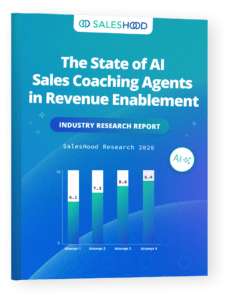
Our latest research report, The State of AI Sales Coaching Agents in Revenue Enablement, reveals how AI Sales Coaching Agents are transforming enablement from a one-time event into a continuous, data-driven system.

Here’s what we found.

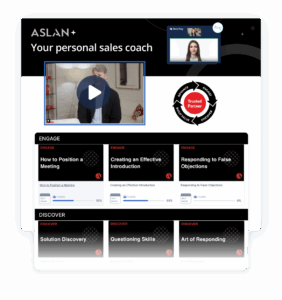
Coaching Delivers Real Value In the Flow of Work

Traditional enablement relies on training sessions, certifications, and manager-led coaching. The problem? It doesn’t happen often enough.

AI coaching flips that model entirely. Instead of waiting for feedback, sellers can now:

  • Practice real scenarios anytime
  • Get instant, structured coaching
  • Continuously refine their skills in the moment

This “always-on coaching” model is embedded directly into daily workflows, whether it’s onboarding, deal prep, or product launches.

Organizations adopting AI coaching agents are seeing measurable impact across the board:

  • Programs launch 3x faster
  • Rep participation increases 45%
  • Managers save 24 hours per month
  • Seller skills improve up to 38%
  • Reps become 40% faster to readiness

And perhaps most importantly, pipeline conversion rates can increase up to 5x.

This isn’t just better enablement. It’s a fundamentally different operating model.

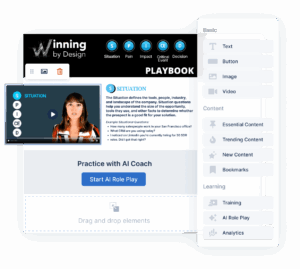
Click here to learn more about AI Role-Play.

Practice Is the New Performance Lever

One of the clearest insights from the data:

High-performing teams don’t treat coaching as an event. They treat it as a habit.

According to the research:

  • Top teams average 7 practice sessions per rep
  • Reps practice every ~3 days
  • Participation reaches ~70%

And the payoff is real. Sellers improved their skills by 38% after just four practice attempts as shown in the progression chart on page 10 of the report.

Repetition + feedback = mastery.

This is what AI coaching unlocks at scale, consistent practice paired with instant feedback, embedded directly into the seller’s daily workflow. It’s not just learning faster, it’s building confidence before it matters most.

Where Teams Start and Where They’re Going

Most organizations begin with familiar use cases:

  • Pitch practice (39%)
  • Sales execution scenarios (20%)
  • Demo delivery (16%)

But the real evolution happens when teams expand deeper into the funnel. Advanced coaching scenarios now include:

  • Executive storytelling
  • Negotiation and objection handling
  • Value articulation and ROI conversations
  • Closing and urgency creation

In other words, AI coaching isn’t just helping sales teams say things better, it’s helping them sell better.

What AI Coaching Reveals About Skill Gaps

One of the most powerful aspects of AI coaching is the data. Analysis of 3.5 million words of AI feedback uncovered consistent gaps across teams:

  • 94% of feedback focused on clarity
  • 87% on value articulation
  • 70% on driving next steps

The takeaway? Most sellers don’t struggle with product knowledge. They struggle with:

  • Explaining value clearly
  • Connecting to business outcomes
  • Guiding the conversation forward

AI coaching directly targets these gaps in real time.

A New Role for Managers (Finally)

AI coaching doesn’t replace managers. It frees them to do more strategic coaching, team development and deal planning. Instead of reviewing every practice session, managers:

  • Focus on high-impact coaching moments
  • Support live deals
  • Develop top performers strategically

That’s why teams are saving 24 hours per month per manager. This is how you scale coaching without scaling headcount.

Revenue Enablement Becomes Data-Driven

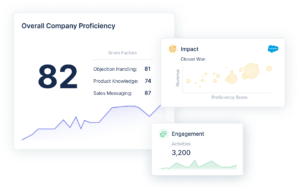
For the first time, revenue leaders can actually measure:

  • Practice frequency
  • Skill development
  • Coaching effectiveness at scale

This visibility turns enablement into a performance engine, not just a support function. As the report highlights, the shift is clear:

Coaching is moving from episodic to continuous.

Enablement is moving from intuition to data.

AI Sales Coaching Agents aren’t a feature. They’re a new foundation. Organizations embedding AI coaching into daily workflows are already seeing:

  • Faster ramp
  • Better messaging consistency
  • Higher confidence in customer conversations

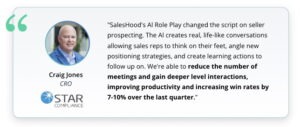
And this is just the beginning. Learn more about how Craig Jones, CRO StarCompliance, is boosting win-rates with AI Coaching Agents. Read case study.

Download the Full Report

This blog only scratches the surface.

If you want the full dataset, benchmarks, and program design frameworks—including:

  • 34,000+ coaching submissions analyzed
  • Benchmarks from 45 organizations
  • Proven frameworks for building AI coaching programs

Download the full report.

Modern Sales Onboarding: How to Ramp AEs Faster in the AI Era

Sales Onboarding Is Broken

A lot has changed in the last 12–18 months. Companies have shifted from hiring freezes and cautious growth to more aggressive hiring again. Teams are expanding, pipelines are rebuilding, and expectations for performance are rising quickly. But while hiring has accelerated, most onboarding programs haven’t kept up.

This is the moment to step back and rethink your sales playbooks, sales processes, and how you actually ramp new sellers. What worked a few years ago, static sales training, one-time sales onboarding, content-heavy learning, is no longer enough.

We’re now operating in an AI-driven era where learning can be continuous, interactive, and personalized. Yet most AE sales ramp experiences still look the same:

  • Information-heavy
  • Disconnected from real deals
  • Lacking reinforcement
  • Slow to translate into actual performance

And the cost of this gap is massive.

Ramp times are still far too long. sales people take months, sometimes quarters, to become productive. Retention suffers. Performance is inconsistent. And for the business, that translates directly into lost revenue and missed opportunities.

Common Mistakes in Sales Onboarding

  • Building training before defining the sales process
  • Optimizing for completion instead of performance
  • Over-relying on content instead of practice
  • Not measuring progression or improvement
  • Treating onboarding as a one-time event

The reality is simple:

Traditional onboarding optimizes for completion, not performance. What companies need instead is a modern AE onboarding experience that ensures sales teams:

  • Retain what they learn
  • Apply it in real selling situations
  • Build confidence through practice
  • Ramp faster and perform sooner

That’s the shift. At SalesHood, we set out to build an onboarding experience for ourselves designed for this new reality, one that is AI-driven, continuous, and tied directly to real execution in the flow of work. It’s not just training. It’s a s system for learning, practicing, and performing. We’re sharing our own internal best practices. Let us know which of our best practices improve your sales team’s performance.

Sales Onboarding Should Mirror the Sales Process

If there’s one principle that changed how we think about onboarding, it’s this: Sales 0nboarding should mirror the sales process.

Most companies get this backwards. They start by building onboarding programs, modules, content, sales certifications, without first ensuring that the foundation is solid. But you can’t build an effective ramping experience on top of a weak or outdated sales process.

It has to start with the buyer. It has to start with your sales process. Before you build onboarding, you need to ask:

  • How current and relevant is our sales process?
  • Are our stages clearly defined?
  • Do we have clear exit criteria for each stage?
  • What are the key activities sales teams must execute?
  • What assets and content are used along the way?
  • How does a deal actually progress from stage to stage?

Once that’s mapped out, clearly and intentionally, you have something powerful: A system that reflects how deals are actually won and nd that becomes the foundation for onboarding. From there, everything changes.

Instead of onboarding being a series of disconnected trainings, it becomes a progressive experience aligned to how sales teams actually sell. Sales teams learn the stages, practice the activities, and get assessed as they move from one stage to the next.

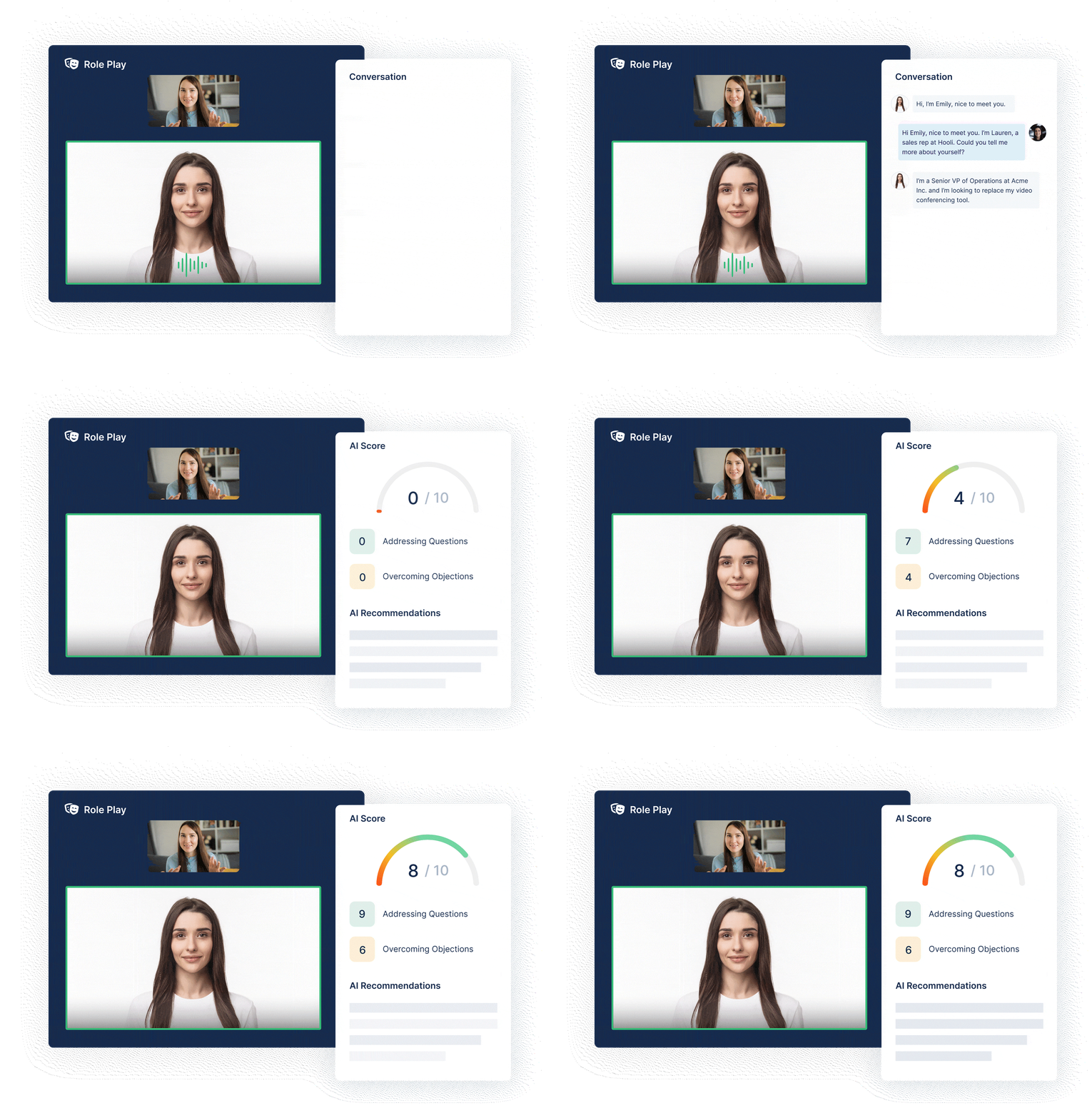
This is where AI becomes a force multiplier. With AI-driven role plays and coaching, you can:

  • Simulate real selling scenarios
  • Reinforce key activities at each stage
  • Provide immediate feedback
  • And ensure sales teams are building skills in a structured, repeatable way

That’s the shift. You’re no longer onboarding people to content, you’re onboarding them to execution. That was one of the biggest lessons we learned: If your onboarding doesn’t reflect how deals actually progress, your sales teams won’t either.

The Framework: A Stage-Based AE Ramp Plan

Once your sales process is clearly defined, onboarding becomes much simpler and much more effective. Instead of building training around topics, you build it around how deals actually progress. That’s exactly what we did.

We structured our AE ramping experience into a series of stages that mirror the sales process, with each stage focused on a specific set of skills, activities, and outcomes. Each stage in the ramping path follows a consistent, repeatable structure designed to reinforce learning and drive real skill development.

Every training begins with a clear introduction outlining expectations and learning goals, followed by focused content on a specific topic whether it’s a framework, process, product capability, or best practice. Teams then complete a knowledge check to validate understanding, followed by a practical exercise or scenario to apply what they’ve learned.

From there, the experience becomes more hands-on. Sellers practice articulating the message through an AI pitch, and then apply it in a realistic role play. This consistent flow — learn, test, apply, and practice — ensures reps build confidence, retain information, and develop the ability to execute in real customer conversations.

1. Product Fluency: Build Confidence and Foundation

Before sales teams can sell, they need to understand what they’re selling and how to position it. This stage focuses on:

  • Core product knowledge and capabilities
  • Value positioning
  • Key use cases
  • Navigating the platform

But more importantly, it’s about confidence. Sales teams don’t just learn the product, they practice explaining it, showing it, and using it in context. AI Coaching: Sales teams are guided through progressive role play assessments to build confidence and competence. Here are some of the role playing assessments we developed for our team.

  1. AI Pitch Practice: Practice delivering a clear, concise SalesHood pitch and refining messaging with AI-driven feedback.
  2. Warm Inbound Lead: Simulate responding to an interested inbound prospect and guiding the conversation toward discovery.
  3. Role Play with Product Marketing (PM): Align on positioning and practice articulating value using product-led messaging.
  4. Networking Event: Practice initiating conversations and quickly communicating value in informal, real-world settings.
  5. Intro Conversation: Build confidence opening a call and setting context with a new prospect.
  6. Skeptic Buyer Conversation: Handle objections and engage a skeptical executive with strong positioning and relevance.

Outcome: Sales teams confidently talk about the product and connect it to customer value.

Badge: Product Fluency

2. Meeting Excellence: Run Great First Conversations

This stage is all about first meetings — where deals are either created or lost.

sales teams learn how to:

  • Lead with curiosity
  • Ask impactful questions
  • Identify pain and implications
  • Qualify effectively
  • Drive clear next steps

This is where sales teams begin to control conversations, not just participate in them.

AI Coaching: Here are some of the pitch practice and role play exercises that were developed for this section.

  1. Messaging Reinforcement (AI Pitch Practice)

    Reinforce core messaging through repetition and AI feedback to improve clarity and consistency.
  2. Messaging Reinforcement Role Play

    Apply refined messaging in a live scenario to build confidence and consistency.
  3. Intro Call (Buyer Personas)

    Run a structured first call with an buyer persona leader, focusing on relevance and qualification.
  4. Light Discovery Practice asking initial discovery questions to uncover pain and qualify early opportunities.
  5. First 3 Minutes (Meeting Execution): Practice starting a meeting strong by setting agenda, context, and engaging the buyer early.
  6. Last 3 Minutes (Meeting Execution): Practice closing a meeting strong by recapping what you heard and confirming next steps.

Outcome: Sales teams can run structured, high-quality discovery calls
Badge: Meeting Excellence

3. Demo Excellence: Turn Interest into Momentum

Demos are one of the most critical moments in any deal — and one of the most misunderstood.

This stage focuses on:

  • Mapping demos to customer pain
  • Telling a clear, persona-based story
  • Showing the right capabilities (not everything)
  • Asking questions throughout
  • Driving deal progression

Sales teams learn a simple, repeatable flow:

Pain → Story → Capability → Question

Outcome: Sales teams can deliver demos that create alignment and move deals forward.
Badge: Demo Excellence

4. MEDDICC Training: Build and Qualify Real Deals

At this stage, sales teams move beyond skills and into real deal execution. They learn how to:

  • Identify and build a champion
  • Engage the economic buyer
  • Understand decision criteria and process
  • Map stakeholders and organizational dynamics
  • Create urgency and validate opportunity strength

This is where sales teams start to build real pipeline with structure and discipline.

Outcome: sales teams can qualify and manage real opportunities using the MEDDICC sales qualification framework

Certification: MEDDICC

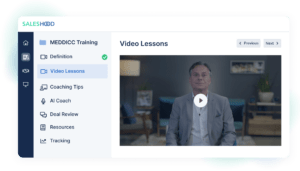
MEDDICC MEDDPICC SalesHood Coaching Guide for Managers-share

5. Deal Execution & Close: Win the Deal

The final stage is about turning a strong opportunity into a closed deal.

sales teams focus on:

  • Aligning stakeholders
  • Reinforcing value
  • Packaging the deal (proposal, pricing, scope)
  • Working cross-functionally with Customer Success
  • Driving clear next steps to close

At this point, the goal is simple:

Get aligned, prove it, and get the deal done.

Outcome: sales teams can confidently drive deals to a decision.

Certification: From Training to Real Performance

Each stage includes hands-on practice, role plays, and assessments not just content consumption. sales teams earn badges as they demonstrate proficiency:

  • Product Fluency
  • Meeting Excellence
  • Demo Excellence
  • MEDDICC Certification

But the most important milestone is the final one:

Real Deal Certification

This is where sales teams apply everything they’ve learned to progress and close an actual opportunity. Because the goal of onboarding isn’t to complete training. it’s to win real deals.

This framework works because:

  • It mirrors how sales actually happens
  • It builds skills progressively
  • It reinforces learning through practice
  • It ties onboarding directly to performance

Most importantly: It turns onboarding into a system for execution, not just education.

What Makes This Different: Practice, AI, and Real Execution

Most onboarding programs focus on content. This one focuses on practice and performance. That’s the biggest difference. Instead of relying on static training and one-time sessions, this approach is built around:

  • Role plays and real scenarios
  • Continuous reinforcement
  • AI-powered coaching and feedback

Sales teams aren’t just learning what to say, they’re practicing how to say it. With AI role plays, sales teams will:

  • Simulate real customer conversations
  • Practice discovery, demos, and deal progression
  • Receive immediate, objective feedback
  • Iterate and improve quickly

This creates a fundamentally different learning experience. Instead of waiting for a manager to review a call or provide coaching, salespeople get instant feedback at scale, allowing them to build confidence faster and refine their skills in real time.

Just as importantly, learning doesn’t stop after onboarding. It becomes continuous.

  • Reinforcement huddles
  • Ongoing role plays
  • Deal-based coaching
  • Real-time feedback loops

AI doesn’t replace coaching. It multiplies it. This is what makes onboarding stick. sales teams don’t just complete training, they build muscle memory through repetition and feedback.

How to Measure Success: From Leading Indicators to Revenue Outcomes

One of the biggest gaps in most onboarding programs is measurement. Companies track completion, but not progression. They track activity but not performance. If you want onboarding to actually drive results, you need to measure both leading and lagging indicators.

Leading Indicators: Are Reps Learning and Improving?

Early on, you’re not measuring revenue, you’re measuring engagement, progression, and skill development. Start with the basics:

  • Path completion
  • Path progression
  • Training completion

These are table stakes. But the real signal comes from how reps are performing within the experience. You should be looking at:

  • Engagement levels: How actively are they participating?
  • Test scores: Are they understanding key concepts?
  • AI practice feedback scores: How are they improving in structured exercises?
  • AI role play scores: Are they developing real conversational skills?

And most importantly: Are they getting better over time?

This is where the system becomes powerful. You can track progression, not just completion. You can actually watch reps improve as they move through the path.

Another strong signal: Number of attempts

Reps who take the time to retry, refine, and improve are typically the ones who ramp faster and perform better. It’s a clear indicator of effort, engagement, and seriousness.

Transition Metrics: Are They Applying What They Learned?

As reps move through the path, the focus shifts from learning to execution. Now you want to see:

  • Outreach activity: Are they confidently engaging prospects?
  • Pipeline creation: Are they generating opportunities?
  • Call quality: Are they running structured, high-quality conversations?

Call quality is especially important. With conversation intelligence, you can evaluate:

  • How well reps are applying your sales stages
  • Whether they’re asking the right questions
  • How effectively they’re progressing deals

This is where training meets reality.

Lagging Indicators: Are They Driving Results?

Ultimately, onboarding success should show up in business outcomes. That means tracking:

  • Win rates
  • Quota attainment
  • Time to productivity

These are the metrics that matter most to the business. But they only improve if the leading indicators are strong.

Setting the Right Expectations

It’s important to define success early. In a ramp environment, that means setting realistic, achievable goals. For example:

  • Early pipeline targets
  • First opportunities created
  • Initial deal progression milestones
  • Ramp quota expectations in the first 1–2 quarters

These will vary depending on segment, deal size, and sales cycle but the principle is the same: Give your team clear, achievable targets that build confidence and momentum.

The Big Shift

Most onboarding programs ask: “Did they complete the training?”

Modern onboarding asks: “Are they improving, and are they performing?”

That’s the difference between tracking activity and building a system that drives results.

What Is Sales Enablement? Strategies, Benefits and Best Practices

“The essence of Sales Enablement is to help companies grow their business faster by aligning their people, processes, and priorities.”

-Elay Cohen, CEO and Co-Founder of SalesHood

Sales enablement continues to evolve and mature rapidly. The pandemic has changed the way we sell forever. Organizations are forced to make drastic changes to their sales enablement programs, focusing on virtual enablement and virtual selling. Having a sales enablement program is no longer an option. It’s a must-have business imperative. When you can unlock the power of sales enablement through an optimized sales enablement strategy that includes onboarding and new hire training, modeling, pitch practice, and feedback–something really magical happens. All of your revenue teams are aligned with the same messaging, same pitch, and the same strategy. It’s a beautiful thing.

In this sales enablement guide you’ll learn about the strategies, benefits and best practices to follow to improve win-rates, sales cycles time and sales productivity.

Here’s a 17 minute audio summary of the guide.

Definition: What is Sales Enablement?

Sales enablement is the strategic process of empowering sales teams with the knowledge, tools, and content they need to sell effectively and consistently. It’s about creating alignment across your go-to-market marketing, sales, and customer success teams, ensuring every buyer interaction is impactful and every seller is equipped to win.

Unlike traditional enablement platforms that prioritize content storage, SalesHood focuses on content activation, ensuring your entire GTM team uses the right content at the right moment. While competitors like Highspot and Seismic offer extensive libraries, SalesHood combines intelligent discovery with real-time coaching and AI role-play in one execution layer. Sellers spend less time searching and more time selling. Managers coach faster. Enablement teams measure what actually drives results, without the complexity that slows down traditional platforms.

The market is already moving in this direction. As leading platforms like Highspot and Seismic expand and converge their capabilities, it’s clear that sales enablement is no longer about point solutions—it’s about unified platforms that drive execution across the entire revenue team. Learn more about the Seismic-Highspot deal.

Sales enablement drives measurable outcomes, including higher win rates, shorter sales cycles, and improved quota attainment. By leveraging technology, coaching, and just-in-time content delivery, it transforms how sales teams work, enabling them to sell better, sell faster, and deliver exceptional value to buyers. The ultimate goal is to create predictable, scalable revenue growth while building stronger customer relationships.

Book - Enablement Mastery

Download Sales Enablement Book Chapter

Sales enablement is important because it facilitates better use of resources across all areas of the business and aligns the sales and marketing teams. It uses a cohesive strategy for companies to increase win rates and better utilize the sales process. Read more about why sales enablement matters here.

Interested in taking a free Sales Enablement Mastery course, sign up here to uplevel how you’re doing enablement today.

Why Sales Enablement Matters: Key Benefits for Organizations

Sales enablement can transform how your revenue teams operate if it’s implemented thoughtfully and reinforced consistently. Below are seven proven ways that sales enablement drives measurable impact across organizations.

1. Faster Ramp Time for New Sales Hires

Sales enablement accelerates onboarding, helping new reps become productive faster. Case study after case study shows that companies using enablement platforms reduce time to ramp and hit quota more quickly—all in a fully virtual environment. Traditional in-person bootcamps are no longer feasible for many teams. Sales enablement platforms provide scalable, virtual onboarding experiences that engage reps from day one—no flights required.

Watch the video to learn the guiding principles of new hire sales onboarding. Download the Essential Guide to Sales Onboarding.

Case Study: Virtual Sales Onboarding in Action

Lindsey Morga, Revenue Enablement Manager, shares how her team pivoted to a 100% remote onboarding program overnight—and saw faster time to productivity as a result. Her insights are a must-read for companies modernizing their ramp process.

2. Stronger Sales and Marketing Alignment

When sales enablement becomes a company-wide priority, alignment between sales and marketing improves dramatically. Content creation becomes more intentional, communication flows more easily, and sales productivity increases.

Instead of finger-pointing—marketing wondering why content isn’t used, and sales complaining about irrelevant assets—teams collaborate around shared goals: consistent messaging, customer experience, and revenue growth.

Read more: Sales and Marketing Alignment with Sales Enablement blog.

3. More Effective Sales Content

A unified go-to-market strategy means every employee, especially every seller, can clearly answer: What does your company do—and why does it matter?

For sales reps, content effectiveness hinges on being able to confidently pitch, personalize, and deliver value. Sales enablement ensures the pitch is practiced, relevant, and aligned with the buyer’s needs at every stage.

Download the guiding principles for Sales Content Management.

Sales Content ebook - SalesHood

4. Messaging Alignment at Scale

Consistent messaging doesn’t happen by accident—it’s the result of structured collaboration, feedback loops, and regular practice. Sales enablement platforms like SalesHood make peer-to-peer learning easy, encouraging reps to practice pitches, share insights, and improve together.

Explore blog: How to Turn Sales Pitches into Meaningful Conversations

🎥 Watch video down below: How to Use Generative AI to Scale Pitch Practice

The key question Copado faced was how to use AI to be more efficient and deliver what their field needs when they need it. They wanted to move from passive learning, such as watching videos and reviewing slide decks, to active participation where reps could practice skills and get instant feedback.

With SalesHood’s AI Coach, Copado’s reps can now practice and get feedback in minutes, rather than waiting days for manager input. This has fundamentally shifted their approach to enablement, allowing for smaller, bite-sized learning spread out over time. Reps find it easier to consume and actively engage, instead of just reading or zoning out during a video. Watch the short two highlights video or click to watch the full interview.

5. Top Seller Behavior Modeling

Replicating top performers is one of the fastest paths to improving team-wide results—but only if done right.

Sales enablement platforms spotlight what top sellers are doing, so others can adopt those habits. Through curated examples, coaching, and structured practice, teams scale what works—faster.

Enablement connects the dots between behavior and outcomes, making professional development ongoing, actionable, and performance-driven.

6. Shorter Sales Cycles

Sales enablement reduces wasted time and increases deal velocity. When sellers have easy access to the right messaging, content, and training, they focus less on admin and more on delivering value to buyers.

As a result:

  • Sellers tailor outreach more effectively

  • Buyers move through the funnel faster

  • Teams close more deals, more efficiently

With real-time analytics and AI insights, sales leaders can identify what’s working, optimize continuously, and drive predictable growth.

7. Stronger Sales Process Adoption

Great enablement doesn’t just teach what to do—it reinforces how to do it consistently.

A defined sales process outlines key actions like:

  • Conducting thorough discovery

  • Building a mutual action plan

  • Securing executive sponsorship

Sales enablement ensures these behaviors stick by connecting process to purpose. And with modern AI, platforms now guide reps in real time. For example:

  • After a discovery call, suggest updating the mutual action plan

  • When a deal hits proposal stage, prompt a tailored content pack

  • Before close, recommend engaging customer success

This kind of just-in-time coaching drives process adoption naturally, reducing friction while increasing results.

The impact of sales enablement isn’t just theoretical—it’s measurable. From faster ramp and higher win rates to better alignment and shorter sales cycles, organizations that invest in enablement are better equipped to compete and grow.

Sales Enablement Challenges Sales Leaders Face

Today’s sales leaders are under immense pressure to meet aggressive growth targets. Yet, fewer than 25% of sellers are hitting quota. This isn’t just a performance gap—it’s a signal of deeper, structural issues that undermine execution, alignment, and efficiency across the go-to-market organization.

Sales enablement exists to solve these challenges, but many companies are still struggling to build the right foundation. Let’s break down the key barriers holding teams back:

1. Sales Execution Challenges

Inconsistent sales processes are one of the biggest threats to performance. Without a standardized, repeatable approach, it’s difficult to scale what works—and easy to lose deals due to missed steps or misaligned messaging. The complexity of B2B buying compounds the issue: today’s decisions involve more stakeholders, longer cycles, and higher buyer expectations.

Sales teams need clear, guided frameworks that help them navigate this complexity, stay aligned with the buyer journey, and execute with consistency and confidence.

2. Marketing Content Effectiveness Challenges

Content is a critical driver of sales success—but only when it’s easy to find, relevant, and aligned with buyer needs. Unfortunately, many reps spend too much time searching for assets, customizing outdated decks, or creating their own materials from scratch.

The result? Wasted time, inconsistent messaging, and missed opportunities to add value in buyer conversations. Misalignment between marketing and sales not only slows deals—it erodes trust. To drive engagement, teams need a seamless, integrated approach to content delivery and usage.

3. Revenue Operations & Efficiency Challenges

Modern sales orgs are often weighed down by bloated, disconnected tech stacks that hinder more than they help. Sellers are forced to toggle between tools instead of focusing on selling. And while companies invest heavily in onboarding, they often neglect reinforcement—leading to a massive drop-off in knowledge retention. In fact, reps forget up to 87% of what they learn within a month without continuous enablement.

To drive long-term impact, companies need streamlined systems, efficient workflows, and always-on training that keeps reps sharp and productive.

sales enablement software schedule demo

These aren’t isolated problems—they’re symptoms of a bigger need for a connected, data-driven sales enablement strategy. In the next section, we’ll explore how leading organizations are overcoming these barriers and building high-performing, scalable sales teams.

When You Should Implement Sales Enablement?

The short answer: as early as possible.

Sales enablement isn’t something that should wait until you’re scaling. In fact, companies that bake sales enablement into their growth strategy from the beginning often see stronger performance, faster ramp times, and more consistent revenue outcomes.

Even if you don’t yet have a formal sales enablement function or dedicated headcount, you can—and should—begin building the foundation. This might mean assigning sales enablement responsibilities to a team member in sales, marketing, or operations as a part-time focus. Over time, as your organization grows, that role can evolve into a full-time function, supported by tools, training, and strategy.

Why start early?

  • Efficiency scales: Establishing repeatable onboarding, training, and content delivery processes early makes it easier to scale your sales team.

  • Data drives growth: Initial efforts in enablement generate valuable data on what’s working—insights that can inform everything from hiring to messaging.

  • The competitive edge: In today’s fast-paced landscape, where buyers are more informed and content is abundant, sellers need the right resources at the right time to stay competitive.

  • Enablement is a growth engine: It’s not just support—it’s a strategic lever that directly impacts revenue, productivity, and buyer experience.

Bottom line: If you’re serious about building a sustainable, high-performing sales organization, start integrating sales enablement practices early—even before the title “Sales Enablement” exists on your org chart.

The Five Guiding Principles of Sales Enablement

As sales enablement continues to evolve, organizations must embrace a modern approach that aligns with how buyers purchase, how sellers engage, and how revenue teams operate.

Here are five key principles shaping sales enablement:

Buyer-Centric

Sales enablement should be anchored in the buyer’s journey. Every training, piece of content, and tool must align with how buyers research, evaluate, and make decisions—empowering sellers to deliver timely, relevant value at every stage of the deal.

Data-Driven

High-performing enablement strategies rely on data. By using real-time performance metrics and buyer engagement insights, teams can optimize coaching, personalize outreach, and continuously refine messaging to improve outcomes and drive predictable revenue.

Just-in-Time

Learning shouldn’t stop after onboarding. Modern enablement delivers personalized, AI-powered coaching and content in the flow of work—equipping sellers with the right knowledge exactly when they need it to succeed in the moment.

Go-To-Market (GTM) Aligned

Sales, marketing, and customer success must operate as one cohesive team. Enablement ensures cross-functional alignment by making content relevant, accessible, and actionable—so sellers can easily engage buyers with consistent messaging across the entire journey.

Seller-Friendly

Technology should support sellers, not slow them down. Enablement tools must be intuitive, embedded into daily workflows, and designed to simplify execution—making it easier for reps to focus on what matters most: building relationships and closing deals.

By adopting these sales enablement guiding principles, companies will build a scalable, high-impact sales strategy that drives revenue and accelerates deal cycles.

Modern Sales Enablement: Just-in-Time, Adaptive, and AI-Driven

Successful sales enablement strategies are tailored to your team’s specific needs and help provide the team with the sales enablement tools they need to increase effective sales. In contrast to a sales onboarding process, or training and coaching alone, an effective implementation process is ongoing, rather than yearly or intermittent. An effective sales enablement process examines and analyzes all the resources available to sales to ensure that it efficiently and effectively helps sales reps drive successful deals and convert leads into customers.

Watch this video by Elay Cohen to better understand what modern sales enablement looks like. It’s a best practice to map enablement across the entire sales process and customer journey.

How to Measure Sales Enablement Impact?

To scale high-impact sales enablement, activity and business impact need to be measured from benchmarking to performance correlation. Measuring the impact of sales enablement involves evaluating its influence on key performance indicators (KPIs) that align with your organization’s goals. Here are some effective ways to measure sales enablement’s success:

1. Sales Productivity Metrics

  • Time to Quota Attainment: Measure how quickly new hires reach full productivity. A decrease in ramp-up time indicates effective onboarding and training.
  • Selling Time vs. Admin Time: Analyze how much time reps spend on actual selling activities versus administrative tasks. Sales enablement should streamline processes to maximize selling time.

2. Revenue Metrics

  • Quota Attainment Rates: Track the percentage of reps consistently meeting or exceeding quota. Higher attainment rates signal effective enablement.
  • Average Deal Size: Monitor changes in deal size to evaluate if enablement efforts improve reps’ ability to position value and close larger deals.

3. Sales Cycle Efficiency

  • Sales Cycle Length: Assess whether enablement tools and training shorten the time it takes to close deals.
  • Conversion Rates: Track lead-to-opportunity and opportunity-to-close rates to determine if enablement efforts help reps engage and advance deals effectively.

4. Content Effectiveness

  • Content Usage Analytics: Measure how often sales content is accessed and used by reps during the sales process.
  • Content ROI: Evaluate the impact of content on deal progression, such as how often buyers engage with specific materials and whether they lead to conversions.

5. Training and Coaching Outcomes

  • Knowledge Retention Scores: Use assessments to gauge reps’ understanding and application of enablement training.
  • Behavioral Changes: Observe whether reps adopt best practices and apply skills learned during training.

6. Customer-Centric Metrics

  • Customer Satisfaction (CSAT) Scores: Measure how well sales reps meet customer needs, indicating the alignment between enablement and buyer experience.
  • Customer Retention Rates: Evaluate whether improved sales alignment results in stronger long-term customer relationships.

7. Performance Insights

  • Leverage analytics platforms to gain insights into the correlation between enablement initiatives and sales outcomes. Platforms like SalesHood can provide granular data on training completion, content engagement, and deal progression tied directly to enablement activities.

By focusing on these metrics, organizations can clearly link sales enablement initiatives to tangible business outcomes, demonstrating ROI and identifying areas for improvement.

Leading and lagging sales performance indicators should be systematically reviewed and assessed. Sometimes, it’s too late to just look at quota attainment and closed deals. Activities like emails, calls meetings scheduled and pipeline created are great leading indicators to measure and coach. Leading indicators provide insights into what’s working and what’s not working. Measuring impact doesn’t have to be complicated. With our sales enablement software, you can easily track leading vs lagging indicators and run correlation reports that quickly and accurately measure and visualize the impact of implementing sales enablement best practices.

Introducing new processes or tools often meets resistance from sales teams accustomed to existing ways of working. Driving cultural change and fostering buy-in across the organization is an ongoing challenge. Addressing these challenges requires a combination of innovative technology, strong leadership support, and a customer-centric approach to enablement. Solutions like AI-driven coaching, streamlined content activation, and mutual action plans can help overcome many of these barriers.

Sales Enablement Use Cases and Case Studies

Sales enablement isn’t just a concept—it’s a proven strategy that drives measurable outcomes across industries. Here are real-world examples of how companies leverage SalesHood to streamline processes, improve efficiency, and boost revenue:

1. Doubling Selling Price and Shortening Sales Cycles: StarCompliance

StarCompliance implemented SalesHood’s platform to transform their sales training and coaching processes. By aligning their teams on consistent messaging and empowering them with tailored enablement resources, they achieved:

  • A 35% reduction in sales cycles, enabling their team to close deals faster.

  • A 17% increase in new logo win rates through better qualification and engagement.

  • Doubling their average selling price, showcasing how structured enablement leads to higher-value deals.

2. Scaling Training, Onboarding, and Messaging Alignment: Copado

Copado, a leader in DevOps for Salesforce, utilized SalesHood to unify their global go-to-market teams. With tools for collaborative learning, process consistency, and content management, they saw:

  • Improved win rates across various regions and sales teams.

  • Enhanced team alignment on value-based selling, essential for navigating the complex B2B landscape.

    By providing structured playbooks, messaging frameworks, and on-demand training, Copado helps sellers articulate the value proposition effectively, leading to better buyer engagement and shorter sales cycles.

3. Improving Lead Conversion with Digital Sales Rooms: DataEndure

DataEndure integrated SalesHood’s Digital Sales Rooms to enhance buyer engagement and accelerate decision-making. The result? A 60% increase in lead-to-opportunity conversion, driven by personalized experiences and seamless communication with potential buyers.

4. Accelerating Onboarding for New Hires

Sales enablement platforms streamline the onboarding process by delivering interactive learning experiences. For example, a SalesHood customer reduced onboarding times by over 30%, enabling new hires to contribute to pipeline and quota faster. With just-in-time learning and GenAI Coaches, new sales reps build confidence and competence more quickly.

5. Driving Buyer Engagement Through Digital Sales Rooms

Digital Sales Rooms (DSRs) like those offered by SalesHood provide a centralized hub for collaboration between buyers and sellers. DataEndure leveraged DSRs to offer personalized content and facilitate seamless communication, resulting in a 60% improvement in lead-to-opportunity conversion rates.

6. Enabling Solution Selling in Complex B2B Sales

Many of SalesHood’s customers utilize its tools to train sales reps on value-based selling techniques, crucial in long sales cycles involving multiple stakeholders. The platform empowers sellers with curated content and real-time coaching, boosting win rates in competitive scenarios. Mutual Action Plans (MAPs) keep sellers and buyers aligned throughout the process, improving transparency and accelerating decisions. SalesHood’s performance insights help managers track adherence to sales methodologies like MEDDICC, enabling data-driven forecasting and early risk identification.

7. Providing Sales Teams with Contextual Content

Sales enablement helps teams access the right content at the right time. For example, a software company used SalesHood to deliver tailored pitch decks and case studies to sellers within seconds, enabling them to respond to prospect needs more effectively and close deals faster.

Is your sales content easily accessible? Sales enablement connects the dots by organizing all your team’s materials into a searchable, on-message library available exactly when your sellers need it. When content is missing, enablement creates it based on insights from sales conversations and buyer interactions.

In today’s fast-paced sales environment, delivering the right content at the right time can make or break a deal. Advanced AI tools can personalize content recommendations based on buyer behavior, turning every interaction into a trust-building opportunity.

8. Enhancing Partner Enablement

Companies with channel or reseller networks use enablement tools to train and certify partners. SalesHood empowers partners by providing tools, content, and training to sell more effectively. Through AI-driven insights, adaptive learning, and easy access to resources, partners stay up to date on product updates, industry trends, and best practices. Customizable sales materials, interactive playbooks, and real-time collaboration tools help partners engage buyers with the right messaging. Embedded analytics enable businesses to track partner performance, optimize strategies, and provide targeted support—ultimately driving increased revenue and stronger partner relationships.

SalesHood offers functionality to create partner-specific resources, ensuring channel sellers are well-equipped to represent the brand and close deals.

Sales Enablement vs. Revenue Enablement: What’s the Difference?

Sales enablement focuses on helping sales teams sell more effectively. It provides sellers with the tools, content, training, and coaching they need to engage buyers, overcome objections, and close deals. Traditional sales enablement programs prioritize onboarding, messaging alignment, playbooks, and real-time deal support. The core mission is to boost individual and team performance, making the sales process more consistent and productive.

Revenue enablement, by contrast, takes a broader and more strategic view. Instead of focusing solely on the sales team, it aligns all go-to-market functions—marketing, customer success, sales engineering, product, and even partners—to create a unified buyer experience. Revenue enablement supports the full customer lifecycle: from acquisition to onboarding, adoption, expansion, and renewal. It leverages shared metrics, integrated content strategies, and cross-functional collaboration to maximize long-term customer value.

In short:

  • Sales enablement = Empower sales teams to close deals.

  • Revenue enablement = Align all revenue teams to drive growth and retention.

As organizations shift toward buyer-centric, recurring-revenue models, revenue enablement reflects the next evolution of enablement strategy.

Sales Enablement vs. Sales Operations: Where’s the Line?

Sales operations manages the systems and structures that support selling—think: quotas, territories, tech stacks, pipeline analytics, compensation plans, and process design. It’s a function built to optimize efficiency and execution.

Sales enablement, meanwhile, exists to empower people. It equips reps with the knowledge, content, and coaching they need to deliver compelling buyer experiences. Where sales ops focuses on internal mechanics, sales enablement bridges the gap between buyer needs and sales execution—helping reps speak the right language at the right time.

Quick comparison:

  • Sales Ops = Operational efficiency (systems, data, processes).

  • Sales Enablement = Human effectiveness (training, messaging, buyer engagement).

The difference is subtle but powerful. Sales enablement helps salespeople connect with real humans—buyers—with confidence and clarity.

The Revenue Enablement Maturity Model: A Roadmap for Growth

As revenue enablement becomes a strategic priority, teams need a clear path to evolve. That’s where the SalesHood Revenue Enablement Maturity Model comes in. Based on years of working with top-performing go-to-market teams, this model provides a step-by-step framework for scaling enablement programs—from foundational execution to enterprise-wide transformation.

The model outlines four stages of maturity, each building on the last. At every stage, teams strengthen alignment, improve process consistency, and expand impact across the entire customer journey. Whether you’re just getting started or looking to scale, this framework offers a proven path to driving measurable revenue outcomes.

Click to learn more about the framework.

AI Use Cases in Sales Enablement

AI capabilities help revenue teams execute a more efficient and effective customer journey. Across all components of our revenue enablement platform, from onboarding and readiness to content creation and curation to prospect engagement, you can use AI to drive faster ramp times, conversational confidence, and consistent messaging.

On the readiness front, AI helps certify reps faster and get them conversationally competent, no matter where they are. For content, AI assists in creating, downloading, and curating content to make it easily accessible to sales teams. When reps are engaging prospects, AI automatically creates call recaps, helps reps present themselves consistently, and adds descriptions to shared content.

AI contributes to driving a more consistent and efficient customer journey by helping reps be more productive and effective. While some editing may still be needed with AI-generated content, it saves significant time by doing much of the heavy lifting that reps would otherwise have to do manually.

AI helps tie together the trifecta of readiness, content governance, and prospect engagement in sales enablement. It makes each part of the platform more efficient and will increasingly help link the pieces together in meaningful ways.

For example, AI can help proactively recommend the right content for reps to add to their client sites during prospect engagement. It can also eventually feed learnings from rep interactions back to enablement teams to inform future training.

AI is becoming critical as enablement teams shrink and are expected to do more with less resources. Features like AI Coach allow companies to rely more on the AI for certifying and coaching reps. Without AI, many overwhelmed enablement teams will get left behind.

Today’s sales enablement leaders are pioneers in defining sales enablement. They are all revenue multipliers making huge impacts at their companies and in the industry. Check out our AI “Movers and Shakers.” Witnessing this revolutionary shift, many of our customers embarked on pioneering initiatives integrating AI into their sales coaching and sales execution programs with remarkable enthusiasm and impact.

Following a thorough analysis of AI usage and performance data, we identified go-to-market leaders distinguished for their execution of groundbreaking sales enablement initiatives, harnessing the power of SalesHood’s cutting-edge AI technology. Our cohort of AI innovators spearheaded numerous real-world AI sales coaching and sales execution use cases within their revenue teams, yielding substantial increases in sales productivity. Their strategic deployment encompassed a wide variety of AI programs, including pitch practice, objection handling, deal coaching, meeting effectiveness and many other use cases – all powered by SalesHood’s AI Coach.

AI Coaching at Copado

The key question Copado faced was how to use AI to be more efficient and deliver what their field needs when they need it. They wanted to move from passive learning, such as watching videos and reviewing slide decks, to active participation where reps could practice skills and get instant feedback.

With SalesHood’s AI Coach, Copado’s reps can now practice and get feedback in minutes, rather than waiting days for manager input. This has fundamentally shifted their approach to enablement, allowing for smaller, bite-sized learning spread out over time. Reps find it easier to consume and actively engage, instead of just reading or zoning out during a video.

By doing active learning much earlier in the process, Copado’s reps get better at their skills sooner, leading to increased efficiency. A prime example of this was preparing for Dreamforce. Copado had seasoned product people, sales reps, and SDRs with varying levels of experience all conversation-ready. Watch the short two highlights video or click to watch the full interview.

The Future of Artificial General Intelligence (AGI) and Sales Enablement

The future of sales enablement, from SalesHood’s perspective, lies in blending human ingenuity with advanced technology, particularly leveraging Artificial General Intelligence (AGI), to create a more effective, scalable, and insightful sales ecosystem. Here’s a vision for how this unfolds:

1. AI-Driven Personalization at Scale

AGI enables a deeper understanding of individual sales reps’ strengths, challenges, and learning styles. With SalesHood’s solutions, this could translate into tailored coaching programs, just-in-time content recommendations, and automated feedback loops that adapt dynamically to each salesperson’s needs.

2. Seamless Buyer-Seller Alignment

SalesHood’s Mutual Action Plans (MAPs) already drive alignment, but AGI will enhance this by predicting and addressing potential friction points in the buyer journey. It will act as a proactive partner, guiding sales teams to foster stronger, trust-based relationships with buyers.

3. Predictive Sales Insights

AGI will take SalesHood’s Performance Insights to the next level by analyzing complex datasets across customer interactions, sales behaviors, and market trends. This will help organizations predict deal outcomes, identify revenue opportunities, and allocate resources more effectively.

4. Automated and Insightful Content Activation

AGI can transform how sales teams interact with content. Instead of searching for materials, sales reps will receive real-time recommendations based on buyer behavior, engagement signals, and deal context, ensuring the right message is delivered at the perfect moment.

5. Continuous Enablement Through AGI Coaches

SalesHood’s AI Coaches, powered by AGI, will evolve into highly intuitive partners that not only train but also mentor and provide emotional intelligence support. These coaches will simulate real-world selling scenarios, giving sales reps hands-on practice and instant, actionable feedback.

6. Enhanced Collaboration Between Sales and Marketing

AGI will bridge gaps between sales and marketing by analyzing the performance of sales content in unprecedented detail. This ensures that every piece of content created delivers measurable impact, fostering alignment across go-to-market teams.

7. Scalable Sales Execution

With AGI, SalesHood will enable companies to replicate top-performing behaviors across their entire organization. AGI will analyze patterns from high-performing reps, democratize best practices, and ensure consistency in execution across teams and regions.

SalesHood’s vision embraces AGI as a co-pilot for sales teams, enabling them to close deals faster, deliver predictable revenue outcomes, and foster long-term customer relationships. It’s not just about automating tasks; it’s about empowering salespeople to focus on what they do best—building connections and delivering value—while AGI handles the rest.

How to Structure Your Sales Enablement Team

Designing an effective sales enablement team is essential for scaling impact and driving consistent sales performance. A well-structured team ensures alignment, clarity, and operational efficiency across your go-to-market efforts.

Best practices for building your sales enablement organization:

  • Define clear roles and responsibilities. Avoid duplication and ensure each team member has a distinct area of ownership, whether it’s onboarding, coaching, content, or technology.

  • Maintain an optimal team ratio. Aim for a 1:10 to 1:15 ratio of enablement professionals to sales reps to deliver meaningful impact without overextending the team.

  • Balance strategy, content, and technology. Ensure your team is equipped to drive high-level initiatives, develop impactful content, and manage enablement platforms effectively.

  • Promote cross-functional alignment. Foster tight collaboration between sales, marketing, product, and customer success to ensure messaging and training are unified and relevant.

  • Use automation and AI to scale. Leverage technology to streamline repetitive tasks, personalize coaching, and surface the right content at the right time.

  • Measure what matters. Track performance metrics like ramp time, win rates, and content usage to continuously optimize enablement efforts.

Here’s an image of a sample sales enablement organizational chart:

Read: Sales Enablement Organizational Structure: Ownership, Reporting, and Ratios

Why Marketing Should Care About Sales Enablement

CMOs and product marketers should care about sales enablement because it aligns marketing efforts with sales outcomes, ensuring that marketing’s contributions drive tangible revenue impact. Sales enablement provides the tools, training, and resources sales teams need to engage buyers effectively, close deals faster, and maintain consistent messaging across the buyer journey. It acts as the bridge between marketing creativity and sales execution, enhancing the ROI of marketing efforts by making them actionable and effective for sales teams.

Getting Started with Sales Enablement

Sales Enablement is an organizational mindset and commitment to readiness and excellence, starting with the CEO and touching every employee in your company: sales, marketing, business development, partners, engineering, support, human resources, leadership team, etc. A high-impact sales enablement strategy brings departments and leaders together around shared priorities, performance metrics, and expectations and is powered by the right sales enablement platform; book a demo to see SalesHood in action.

We invite you to watch this 2-minute video outlining the Enablement Mastery book and offering more insight the benefits of sales enablement. Take SalesHood’s free, Enablement Mastery course for a more comprehensive understanding of how to master revenue enablement. Enablement practitioners love the course. “Such a great course and opportunity to connect with sales enablement peers. Elay Cohen and the entire team at SalesHood is really committed to supporting our efforts in the field. If you can, you’d be crazy not to take the course.” Giorgia Ortiz, VP Enablement.

Summary

Beware of checkbox enablement. With the explosive popularity, many sales enablement platforms were created with too much of a focus on completing certifications or ticking check-boxes rather than true skills learning and training. For your sales enablement process to be successful, your teams need to engage and learn from each other – consistently, preferably daily. If your sales enablement platform is not driving interaction, modeling, and pitch practice it will not help your team.

Sales enablement is the strategic process of equipping sales teams with the tools, training, and resources needed to engage buyers effectively and close deals efficiently. By aligning content, coaching, and technology with business goals, organizations can drive consistent revenue growth and enhance buyer experiences. Ready to transform your sales team’s performance? Explore how SalesHood can help today!

Final Thoughts

Sales enablement isn’t just about tools. It’s about mindset. Foster open dialogue across your organization to align on what enablement means, how it supports sales goals, and what a successful experience looks like. When your teams feel heard, empowered, and aligned, enablement becomes a powerful driver of revenue and growth.

What the Seismic-Highspot Deal Reveals About the Next Phase of Revenue Enablement

Introduction

The Highspot–Seismic merger is one of the most significant moves the Revenue Enablement Category (aka Sales Enablement) has seen in years. But, it’s not surprising. Many predicted massive consolidation to define the future of Sales Enablement. Every technology market follows a familiar pattern: Early fragmentation, rapid innovation and growth, and eventually, consolidation.

We’ve seen this play out many times before.

In Marketing Automation, leaders like Marketo and Eloqua were absorbed into larger platforms like Adobe and Oracle. In CRM, Salesforce emerged as the dominant platform. More recently, the same pattern has unfolded in Customer Data Platforms and Sales Engagement.

As markets mature, leaders emerge, competition intensifies, and what once passed for innovation starts to get tested against real outcomes. The Revenue Enablement Platform companies are now entering that phase.

This moment isn’t just about two companies coming together. It signals a shift in how the market is evolving and what buyers will expect next. When a market reaches this stage, the conversation changes. It moves away from features and growth, and toward outcomes, differentiation, and long-term value.

This isn’t just a story of two companies coming together. It’s a signal of where Sales Enablement is headed.

The Seismic-Highspot “Merger”

Highspot and Seismic announced a definitive agreement to “merge” in February 2026, bringing together two of the largest players in the Sales Enablement market.

While financial terms were not publicly disclosed, both companies entered the transaction as well-capitalized leaders. Highspot was last valued at approximately $3.5 billion in 2022, while Seismic reached a valuation of around $3 billion in 2021.

There is also growing market speculation around the structure and valuation of the deal. Based on conversations with executives familiar with the space, estimates suggest Highspot may have been valued at approximately 5x ARR on roughly $150M in revenue, implying a purchase price in the range of $750M to $800M, likely structured as a mix of cash and equity.

These figures are not confirmed, but they reflect how the market is interpreting the transaction. Notably, they would represent a meaningful reset from prior peak valuations, another signal that the economics of the category are shifting.

Key Deal Details

  • The combined company will operate under the Seismic brand
  • Seismic CEO Rob Tarkoff will lead the organization
  • Highspot CEO Robert Wahbe will join the board
  • Private equity firm Permira will remain the controlling shareholder
  • Both platforms are expected to continue operating post-transaction

(For additional context, see independent coverage from GeekWire.)

Strategically, the combined company is positioning itself as a comprehensive, AI-powered revenue enablement platform spanning content, learning, coaching, analytics, and insights across the full go-to-market lifecycle.

At a high level, this is a classic consolidation move:

  • Two category leaders
  • Overlapping capabilities
  • A shared push toward a broader platform vision
  • Combine teams and companies to drive cost efficiency and improve EBITDA.

This Isn’t an Isolated Event

The Highspot–Seismic deal follows a broader pattern of consolidation across the enablement landscape.

Private equity firm Vector Capital has already brought together platforms, Showpad and Bigtincan, signaling a similar push toward scale and platform consolidation. This trend isn’t just driven by product strategy, it’s also being accelerated by private equity, which is actively rolling up platforms to create larger, more competitive entities.

In both cases, the strategy is similar: combine overlapping capabilities into broader platforms spanning content, learning, coaching, and analytics. But as platforms expand through consolidation, they also introduce a new question:

Does more scale actually translate to better execution?

What The Seismic-Highspot Deal Signals

This isn’t just a consolidation story. It’s a signal that the foundations of the enablement market are being tested. For years, the category was built on a set of core assumptions that:

  • Better content drives better outcomes
  • More assets improve performance
  • Feature-rich platforms drive adoption
  • Activity metrics reflect impact
  • Scale inherently creates value

Many of these assumptions are starting to break down. Content is abundant, yet outcomes remain inconsistent. Platforms are powerful, and often bloated, yet adoption is uneven. Activity is measurable, yet real impact is still unclear.

It’s not surprising that the narrative centered around content management since many of the most well-funded players in the category came from that background. However, for revenue teams, having the right content at the right time isn’t enough. Driving productivity and improving how sales teams execute in real conversations requires more than access to content. Sales enablement, as a discipline, is much broader than that.

In moments like this, when markets consolidate and expectations rise, those gaps become impossible to ignore.

I’ve seen this before. In the mid-2000s at Salesforce, similar conversations emerged around Oracle’s acquisition of Siebel. The same questions surfaced then: Does scale and consolidation actually drive better outcomes, or does it expose the limits of the existing model?

The Category Has Reached Maturity

Enablement has evolved from a collection of point solutions into a core part of the revenue stack. What was once focused on content management and training is now directly tied to:

  • Pipeline generation
  • Sales productivity
  • Revenue outcomes

With that evolution comes a natural progression: consolidation. As categories mature, buyers look for fewer vendors and more integrated platforms. Vendors, in turn, look for ways to expand capabilities and defend their position. This merger is a clear signal that Sales Enablement is no longer emerging, its established as a must-have platform.

Differentiation Is Getting Harder

Over time, most platforms in the category have converged around a similar set of capabilities:

  • Content Management
  • Learning Management
  • Sales Coaching
  • Sales Playbooks
  • Digital Sales Rooms
  • Analytics
  • AI Assistants

As feature sets begin to overlap, it becomes increasingly difficult to differentiate on product alone. This shifts the competitive dynamic. Instead of asking “Who has more features?” buyers start asking:

  • Which platform actually gets used?
  • Which one drives measurable outcomes?
  • Which one improves performance?

That’s typically the moment when categories transition from feature competition to outcome competition.

The Platform Model Is Being Stress-Tested

For years, the dominant assumption has been that larger, more comprehensive platforms deliver more value. But as platforms expand, so does complexity. More features often lead to:

  • Heavier configuration
  • Increased administrative overhead
  • More friction for end users

As a result, many organizations are now reevaluating a fundamental question: Does a bigger platform actually improve execution or make it harder? The recent deals will likely accelerate that scrutiny.

AI Is Resetting Expectations

At the same time, AI is reshaping how enablement is delivered. But the shift isn’t just about adding AI features. It’s about redefining how sellers access information, learn, and execute in real time.

The timing of this deal reflects that shift. As AI becomes central to the workflow, the competitive battleground is moving away from:

  • Storing Content
  • Organizing knowledge
  • Tracking training completions

toward:

  • Guiding behavior
  • Improving decision-making
  • Driving execution in the moment

The next phase of the category won’t be defined by who has AI. It will be defined by who uses it to create measurable performance improvement. Taken together, these signals point to a category in transition. Not just consolidating, but redefining what matters.

Discover how leading revenue teams are using AI sales coaching agents and role play to accelerate seller readiness and improve performance at scale. Based on insights from 34,000+ coaching sessions, this research reveals what actually drives 38% skill improvement, 45% higher participation, and reps becoming conversation-ready 40% faster. Download the report.

More Consolidation Is Coming

The Seismic–Highspot and Bigtincan–Showpad deals are not the last. They are a signal of what’s coming next. As customer expectations rise—and as AI begins to reshape how revenue teams operate, many enablement platforms will struggle to keep up.

Tools that focus only on content management, training, coaching, or outreach solve isolated parts of the problem, but not execution itself. They may help reps find information, complete training, or automate activity. But they don’t guide what to do in the moment, or improve how deals are actually run.

That pressure is driving the next wave of consolidation. It will happen in three distinct ways:

Point Solutions Get Absorbed

Standalone tools that solve narrow problems, content libraries, LMS platforms, coaching tools, and AI assistants, will increasingly be pulled into larger platforms.

Buyers don’t want more tools. They want fewer systems that actually drive outcomes. As a result, many point solutions will either:

  • Get acquired
  • Get bundled
  • Or get pushed to the margins

Revenue Enablement and Revenue Operations Converge

The line between enablement and revenue operations is already blurring. Look at Gong’s recent announcement of their Gong Enable feature and providing rudimentary AI Role Playing feature. Enablement defines how teams should execute. RevOps defines how the system operates. In the next phase, these functions will converge into a single system focused on:

  • Execution
  • Performance
  • And measurable outcomes

This will drive consolidation across tools that today sit in separate categories.

CRM Expands Up the Stack

CRM platforms won’t stay neutral.

They will continue expanding into:

  • Enablement
  • Coaching
  • And execution workflows

Just as CRM became the system of record, it will increasingly push to become the system of execution. This will put additional pressure on standalone enablement platforms—and accelerate consolidation across the stack.

The Deeper Problem – Broken Enablement

If you step back from the deal activity, a deeper pattern starts to emerge. This moment isn’t just about consolidation. It’s exposing something more fundamental. Most enablement today is not working. One could argue the category was built on the wrong foundation. Highspot and Seismic with the help of large analysts, defined Sales Enablement around Content Management use cases..

Billions of dollars was invested into enablement platforms. Most of that spend has gone into:

  • Content management
  • Asset organization
  • Distribution systems

But there’s a big disconnect. Despite that massive investment, very few organizations can point to:

  • Measurable lifts in win rates
  • Consistent improvements in productivity
  • Repeatable execution across teams

The system exists. The outcomes don’t. The category has optimized for content storage not sales performance. At its core, much of enablement today is still a content repository problem. Teams build libraries. They structure folders. They manage assets. Sales teams are still searching for content and not finding what they need when they need it most because the system isn’t guiding execution. It’s just storing information.

Low adoption is often treated as a user problem. It’s not. It’s a signal. If reps don’t use the platform, it’s usually because:

  • It doesn’t help them win
  • It doesn’t fit into how they sell
  • It adds friction instead of removing it

The truth is simple: Seles teams adopt what helps them close deals. Everything else gets ignored. What’s missing from most enablement systems is execution. Not content. Not features. Execution.

Execution means:

  • Finding the right answers
  • Improving skills with personalized coaching
  • Knowing what to say and do next in a deal
  • Running repeatable plays
  • Continuously improving those plays based on outcomes

It’s the difference between: access to information and consistent performance This is where the category is now being forced to evolve. Because in a more competitive, more scrutinized environment:

  • Spending without outcomes becomes visible
  • Adoption without impact becomes unacceptable
  • Systems without execution become liabilities

That’s the shift happening beneath the surface of the Seismic-Highspot deal.

Why AI Is Becoming Central to Enablement

Today, there are roughly 20,000 to 30,000 dedicated enablement professionals globally, supported by an estimated 200,000+ adjacent roles across revenue operations, sales support, and product marketing. Together, they’re responsible for enabling tens of millions of sellers worldwide.

The ratio doesn’t work. There is no scalable way for a couple hundred thousand people to effectively support more than 20 million revenue professionals using traditional approaches.

“How are a few hundred thousand people expected to enable tens of millions of sellers.”

That’s why AI is becoming central to the category. AI isn’t just another layer in enablement. It’s fundamental. Not as a feature but as a force multiplier. It allows small teams, especially teams of one, to deliver:

  • Real-time guidance
  • Personalized coaching
  • And continuous improvement at scale

This is also why the category is attracting increasing attention from venture capital and private equity.

If even a fraction of the global sales population is supported by systems that improve execution, the total addressable market expands significantly. At an estimated $5,000 per rep per year, the economics become clear. This isn’t a niche category. It’s a large and growing market centered around one problem:

How to improve execution across millions of revenue professionals.

Navigating Consolidation Confusion

Consolidation is creating noise in the market. At the same time, the pace of innovation, especially with AI, is accelerating. The result is a confusing environment where platforms are getting bigger, messaging is getting louder, and it’s harder to separate signals from noise.

Regardless of your current tech stack, this is a moment to pause. Before signing new contracts or making platform decisions, step back and reassess what’s actually driving value. Here are a set of questions to guide that thinking.

Questions to Ask Your Team (Users, Stakeholders)

Start with reality not vendor promises.

  • What value are we actually getting from each tool in our stack?
  • How does adoption really look, not just usage, but consistent behavior?
  • Which tools are critical to execution, and which are just “nice to have”?
  • If we turned a tool off tomorrow, would productivity meaningfully change?
  • Where are reps still working outside the system (email, docs, Slack)?
  • What slows reps down today when they’re in a deal?
  • Do our tools help reps know what to do next—or just give them more information?

Questions to Ask Your Enablement and GTM Leaders

  • Can we clearly tie our enablement efforts to revenue outcomes?
  • Where are we over-invested (too many tools solving the same problem)?
  • Where do gaps exist in execution, coaching, or guidance)?
  • How much time is spent managing systems vs. improving performance?
  • Are we optimizing for activity or outcomes?

Questions to Ask Your Vendors

This is where the gap becomes clear.

  • What does your AI roadmap look like?
  • How does it improve execution, not just automate tasks?
  • How does your platform guide reps in real time during a deal?
  • How do you measure impact on revenue outcomes?
  • What does adoption look like across your customer base?
  • How long does it take customers to realize measurable value?
  • What happens if we want to simplify or reduce our footprint?
  • How flexible is your model?
  • What has your product delivered in the past 12 months (not just roadmap slides)?

The Future of Revenue Enablement

The future of revenue enablement won’t be defined by more content or bigger platforms. It will be defined by how effectively teams execute and how consistently they improve performance over time.

AGI for Revenue Enablement

AGI is coming to revenue enablement, not as a feature but as a shift in how work gets done. Instead of helping reps find content or complete tasks, systems will guide what to say, what to do next, and how to win in real time. Execution becomes more consistent because decisions and actions are driven by data and outcomes, not guesswork. That guidance extends beyond the rep to how buyers engage, collaborate, and move through deals.

Enablement teams will move from building content to designing and orchestrating how execution happens. The value shifts from activity and content to performance and results. AGI doesn’t add more tools, it changes how revenue teams operate.

Vertical and Role Specialization

As the market shifts toward execution, the next wave of enablement platforms won’t all look the same. They will specialize. Some platforms will go deep in specific verticals built around how industries like healthcare, financial services, or manufacturing actually sell.

Others will specialize by role, focused on the needs of frontline sellers, managers, customer success, or post-sale teams. Some will focus on specific moments in the revenue cycle like prospecting, deal execution, onboarding, or expansion.

This is a natural response to a core reality: Execution is not uniform.

How a deal gets won varies by industry, by role, and by context. Generic platforms struggle to adapt to that complexity. AI accelerates this shift. It makes it possible to deliver highly tailored guidance without requiring entirely separate systems. But it also raises expectations buyers will expect platforms to reflect how they actually sell, not force them into rigid workflows.

The result is a more segmented market. Fewer horizontal platforms trying to do everything. More specialized systems designed around how revenue actually happens. The winners won’t just be broader. They’ll be more precise.

What Leaders Should Pay Attention To?

On the surface, moments like this can feel exciting with big moves and bigger platforms. But for many companies who are trying to grow their businesses, there are some immediate implications coupled with uncertainty and execution risks.

In the near term, most large platform mergers create internal focus on integration. That typically leads to:

  • Roadmap reviews and reprioritization
  • Product overlap decisions
  • Shifts in packaging and positioning
  • Changes in customer support structures

For companies using or evaluating Sales Enablement Platforms, it raises important questions:

  • What does the future product look like?
  • Which capabilities will be prioritized?
  • How will support and service evolve?

The more important issue isn’t uncertainty. It’s execution. When there is disruption, whether real or perceived, execution can suffer. And in most organizations, execution doesn’t have margin for error. Quotas don’t pause. In times of change, anything that introduces friction becomes a liability.

Beyond the headline, consolidation introduces a set of practical considerations for customers.

  • Innovation may slow in the near term as teams focus on integration
  • Roadmaps may shift, creating uncertainty around future direction
  • Complexity often increases as platforms combine overlapping capabilities
  • Pricing and packaging can change, reducing flexibility for customers
  • Vendor lock-in risk grows as platforms expand across more workflows

None of these are unusual. But together, they raise an important question: Is the platform getting easier to execute with or harder?

The question isn’t simply: “What platform are we using?”

Rather we should be asking: “Is this system helping our teams execute at a higher level, consistently, and at scale?”

What the Seismic–Highspot Deal Reveals About the Next Phase of Revenue Enablement

What This All Means

By the end of the decade, the market will look very different. Fewer vendors. Broader platforms.Higher expectations. There will be more pressure than ever to prove impact. In this next phase, consolidation won’t be driven by features. It will be driven by one question:

Which systems actually improve execution?

The Seismic–Highspot deal is a milestone—but it’s not the story. The story is what it reveals.

Enablement is moving out of its content-first phase and into something fundamentally different. A shift from systems that organize information to systems that drive execution. That’s the real transition underway. Yes, consolidation will continue. Platforms will get bigger, broader, and more integrated. But scale alone won’t determine the winners. Execution will.

The platforms that win in this next phase won’t be the ones with the most content or the most features. They’ll be the ones that help teams know what to say, what to do, and how to win consistently, and at scale. Because at the end of the day, revenue isn’t driven by content or consolidation. It’s driven by execution.

For teams navigating this shift, having the right partner can make the difference between managing enablement—and actually improving execution.

Highspot vs Seismic vs SalesHood: The Definitive Comparison [2026]

The Sales Enablement market is evolving fast.

Until recently, platforms in the space offered a patchwork of features, each attempting to solve the sales enablement challenges in their own way. Coupled with limited access to free trials and public knowledge bases, it’s incredibly difficult for sales, marketing and revenue operations leaders to find the right platform for their teams.

To help you find the right solution, we spent three weeks researching Highspot and Seismic.

We analyzed all YouTube videos, user reviews, marketing materials, and demos we could find online. We even spoke with industry experts and former clients to get a comprehensive understanding of the platforms and the entire market.

Here are our conclusions:

Highspot is best known for its content organization and discovery. Its intuitive interface and language localization support make it a strong choice for decentralized global sales teams. However, its basic AI capabilities, sales training features, and Digital Sales Rooms make it outdated in terms of sales readiness and buyer engagement. Additionally, while Highspot’s unique content organization “spots” feature is great for content discovery, it quickly becomes cumbersome for marketing teams and enablement practitioners when managing extensive content libraries.

On the other hand, Seismic is recognized for its robust content management, analytics, and approval management features, making it ideal for large enterprises with complex content needs — especially in highly regulated industries like finance or pharmaceuticals. Its “Planner” and “LiveDocs” functionality offer unique control over content planning, management, and dynamic sharing. However, its complexity, siloed architecture, and steep learning curve aren’t ideal for fast and lean organizations or those seeking rapid deployments and quick sales cycles.

Both Highspot and Seismic’s strengths in content management stem from their origins as content management solutions for large marketing teams. Even though they now position themselves as Sales Enablement Platforms, their content management legacy often leads to challenges in realizing revenue outcomes, improving sales productivity, lengthy setup times, and poor content activation and mastery.

Which is why we included SalesHood in the comparison.

SalesHood was built as a complete Revenue Enablement Platform from the start. It has the most intuitive and practical content organization system, coupled with advanced AI-powered features like content audit (to keep your enablement content fresh) and real-time pitch practice (to help teach your sales team how to activate content).

Unlike Highspot’s basic training features or Seismic’s siloed learning system, SalesHood offers a powerful and easy-to-use learning management experience. Its customizable “Huddles” and “Paths” allow you to build complete internal courses to onboard sales reps and help them perform at their peak all year round. Meanwhile, its Digital Sales Rooms and Mutual Action Plans fill Highspot and Seismic’s gap in buyer engagement and repeatable sales execution.

SalesHood’s approach is holistic. It’s made for agile teams where sales & marketing collaborate to swiftly adapt to market changes, seize new opportunities, and achieve their revenue goals faster.

If the above description resonates with you, reach out and see exactly how SalesHood meets your needs.

In this in-depth article, we’ll compare Highspot vs Seismic vs SalesHood across their three core use cases:

  • Content Management
  • Sales Readiness and Learning
  • Digital Sales Rooms and Client Engagement

We’ll also touch on their AI capabilities, engagement analytics, and the overall user experience to provide a well-rounded view of each platform’s strengths and weaknesses.

Note: This article is 7606 words long and highly detailed. If at any point you feel like expert guidance might help you reach a conclusion faster, feel free to contact our team. They’re here to help you navigate the complexities of the Sales Enablement landscape and find the best platform for your organization.

Highspot vs Seismic vs SalesHood: Comparison Summary

Let’s begin with an overview.

Highspot

Seismic

SalesHood

Content Library Management

Uses flexible "spots" for content organization, allowing assets to exist in multiple locations. Offers a unique feedback system and language settings for global teams.Traditional folder structure in the Library tab. Provides DocCenter for specialized content hubs. Offers content syncing from external sources like SharePoint and Google Drive.Features a customizable hierarchical folder system with pages for flexible organization. Offers unique AI-powered content audit, automatic archiving, and synchronized content across the platform and your cloud apps.

Content Organization and Discovery

Offers SmartPages with basic customization using drag-and-drop blocks. Allows dynamic elements but limited structure customization. Lacks draft saving feature for page modificationsProvides TeamSites for content hubs with limited customization. Stands out with a Planner feature for managing content projects and tasks. Offers in-depth approval and versioning system.Offers fully customizable pages with a drag-and-drop editor. Integrates learning elements, AI-generated summaries, and client site lists. Provides a marketplace for sharing templates.

Content Analytics and Insights

Offers basic content insights through content scorecards. Provides data on content usage, pitch performance, business outcomes, and governance. Visualizes content performance based on pitch frequency.
Provides powerful content analytics and comprehensive insights on content performance and engagement. Most suitable for organizations prioritizing in-depth analytics.Offers extensive content insights based on type, location, owner, tag, and timeframe. Provides internal and external engagement metrics, revenue impact, and unique search activity insights.

End-User Experience

Customizable home dashboard with intuitive navigation. Offers quick access to resources, tools, and content. The user interface feels somewhat outdated compared to competitors.Modern, content-focused interface with extensive navigation. The Workspace tab is central for sales reps. Its complex structure requires more time for familiarization and onboarding.Provides an intuitive, fully customizable interface with personalized homepages. Offers quick access to learning tasks and active documents. Allows managers to customize homepages for different segments.

Training and Onboarding

Offers role-specific learning paths with courses, videos, quizzes, and certifications. Provides basic course creation tools with limited question types and video upload capability.Features robust Seismic Learning with AI-assisted lesson creation. Offers diverse lesson elements and chained learning paths. Includes coaching plans for personalized rep development.Provides a flexible learning structure with customizable Huddles and Paths. Offers 32+ pre-built sales training lessons, customizable grading criteria, and unique features like optional modules and prerequisites.

Team Performance Insights

Detailed performance metrics for each team member. Offers a feedback system for submitted courses with custom grading criteria. Allows coaches to rate performance and provide feedback.Focuses on skill-based performance analysis. Allows coaches to assess and grade skills. Provides an overview of sales reps' skills compared to team members.Offers Path- and Huddle-specific progress tracking. Provides completion metrics and assessment results. Allows awarding of certificates or badges upon milestone completion.

AI Coaching

Includes a basic AI Assistant for generating feedback text. Provides basic insights on practice videos, including pitch variation, filler word usage, pace, and talk ratios.Features AI pitch practice with custom prompts and keyword analysis. Generates transcript and scores feedback metrics. Analyzes correct and incorrect keyword usage.Provides advanced AI-powered pitch practice with real-time analysis. Offers extensive feedback on presentation aspects, including tone, pace, and conversational style. Generates detailed improvement suggestions. Able to easily embed AI Coaching into Pages.

Digital Sales Rooms

Offers email pitches, link pitches, and live pitches for content sharing. Requires custom SmartPage design for digital sales rooms, suitable for long sales cycles.Provides digital sales rooms, email sharing, and link sharing. Features LiveDoc functionality for dynamic content hubs. Allows comments within sales rooms for client interaction.Offers quick share, Client Sites, and integrated messaging. Provides easy-to-create branded deal rooms with external content. Includes Mutual Action Plans for buyer-seller alignment.

Buyer Engagement Insights

Focuses on individual user interactions in sales rooms. Provides activity logs showing user engagement, interaction order, time spent, and visit duration on specific pages.Offers detailed session analytics in the Engagements toolbox. Displays total session time, time spent on each content piece, and user details like location and machine information.Provides comprehensive Client Site analytics, including overall metrics and site-specific insights. Offers CRM integration for impact tracking and automatic logging of content activity interactions.

G2 Reviews

4.7 rating from 1,130 reviews4.7 rating from 1,551 reviews4.6 rating from 694 reviews

Best For

Large global sales teams that need fast access to company resources, team performance analytics, and buyer engagement insights with multilingual support.Large enterprises with different departments in need of complex content management, prioritizing in-depth content analytics and skill-based team performance tracking.Agile sales and marketing teams that need flexible content management, powerful training tools, and AI coaching in a unified and intuitive revenue enablement platform.

Get a Free Demo

What is Highspot?

“Quick content discovery”

Highspot’s homepage has a slogan: ‘Enable the impossible’.

In 2012, Robert Wahbe, Oliver Sharp, and David Wortendyke founded Highspot to address the challenges they observed in enabling large, complex customer-facing teams at Microsoft. They aimed to revolutionize sales enablement tools by combining modern user experience with AI and cloud computing to empower sales and marketing teams to work more efficiently.

Highspot’s platform centers around its unique “spots” feature, which offers flexible content organization without traditional folder structures. It includes SmartPages for customizable content hubs, a feedback system for collaborative content improvement, and language localization features for global teams. It also offers AI-powered search, analytics, and in-context training to enhance sales processes and basic learning paths with certifications.

Highspot is designed for large, decentralized global teams with many sales representatives who need quick access to their company’s resources.

What is Seismic?

“Sales enablement via data-driven content management”

Seismic’s homepage has a slogan: ‘Master Modern B2B Selling with Seismic’.

In 2010, five colleagues founded Seismic to address a recurring problem in client-facing teams: inefficient content management and personalization. Inspired by financial advisors’ makeshift pitchbooks, CEO Doug Winter and his team set out to revolutionize sales enablement software, leveraging the emerging cloud technology to create a more efficient solution.

Seismic’s flagship product, the Seismic Enablement Cloud™, has evolved into a comprehensive platform for sales and marketing teams. It offers powerful content management with robust analytics, an in-depth approval and versioning system, and the unique “LiveDoc” functionality for dynamic content sharing. The platform also includes “Seismic Learning for team training, “LiveSocial” for social media engagement, and AI-powered features for content creation and pitch practice — all designed to streamline the sales process and enhance interactions with potential customers.

Seismic’s feature suite is particularly well-suited for large enterprises with long and complex sales cycles, extensive content libraries, and large specialized teams, requiring advanced analytics and strict content governance.

What is SalesHood?

“The all-in-one revenue enablement platform”

SalesHood’s homepage has a slogan: ‘Powering repeatable sales execution’.

While leading Salesforce’s global Sales Enablement function, Elay Cohen helped grow the business from $300 million to $3 billion. Frustrated with the inefficiencies of traditional sales enablement, he founded SalesHood in 2013 to streamline and automate the process using video, mobile, data, and AI technologies.

SalesHood’s Revenue Enablement Platform (REP) stands out with its comprehensive approach to sales readiness, content management, and buyer engagement. It offers customizable learning paths with AI-powered pitch practice, intuitive content organization with automatic auditing, and versatile Client Sites for digital sales rooms. The platform’s unified structure allows for seamless content updates across training, sales pages, and libraries, while its integrated messaging feature facilitates real-time communication with prospects and clients.

SalesHood is ideal for sales and marketing teams seeking to enhance their sales processes, maintain consistent messaging, and drive measurable outcomes. Its rapid setup and flexible customization make it particularly suitable for organizations looking to quickly implement a powerful sales enablement solution that scales with their growth.

Want to see what SalesHood looks like? Take a guided tour or reach out and see exactly how SalesHood meets your needs.

Highspot vs Seismic vs SalesHood: Content Management

Highspot’s “spots” offer flexibility but limited customization, Seismic’s approach is traditional and excels in insights but requires dedicated teams, while SalesHood’s content organization is the most intuitive and customizable.

In this section, we’ll cover everything you need to know about the three platform’s content management features. Everything you can do with them to help your team perform at their peak.

For easier navigation, we split this section into three subsections:

  • Content Library Management
  • Pages For Content Organization and Discovery
  • Content Analytics and Insights

Content Library Management: Highspot’s “spots” are flexible but hard to manage, Seismic is more intuitive with traditional folders, while SalesHood offers the best of both worlds.

Highspot

Seismic

SalesHood

In Highspot, you manage your content through the “content” tab; a directory for all your company’s content.

However, when you open it, you’ll notice Highspot doesn’t offer a traditional folder structure. Instead, it has “spots” — uncustomizable content hubs, specialized around categories or topics. They work like tags where one content asset can exist in multiple spots without needing copies.

Highspot’s content management interface divides content categories into ‘spots’.

For example, you could have a spot for a prospect in the fintech industry where you store their specific pitch deck and offer documents but also include industry-specific documents and relevant case studies that exist in other spots at the same time.

Highspot’s individual content spots contain relevant pitch decks, documents, and case studies for a certain category.

The benefit of this approach is quick content discovery without having to navigate through a complex folder structure. You can search for spots like content, based on various criteria: favorites, ownership, and access rights, or in the main search bar. It’s primarily made for sales reps to navigate and surface the right content quickly but it can be a big headache for content teams because they can’t manage everything in one centralized hierarchy.

Another unique feature of Highspot’s content management is its feedback system.

You can set multiple “feedback owners” and a single author for each content asset or spot. This allows you to tell Highspot to forward feedback to a group of people, even if they aren’t the content or the spot’s owners.

Highspot’s content management systems lets its end users give a feedback to creators of individual content.

The asset settings is also where you can set languages for individual pieces of content or spots. This feature is unique to Highspot and allows you to create localized spots and content clusters, which is particularly useful if you have a global team.

On the other hand, Seismic houses all your content in the Library tab — a straightforward folder system.

When you open the library dashboard, you’re presented with quick insights about your content, such as how many pieces are expiring soon, recently expired, and their overall engagement metrics. This is where you create folders and upload content. You can also sync content from external sources like SharePoint, Google Drive, and OneDrive.

Seismic’s content management system is organized with folders.

If you want to organize content into quickly discoverable content hubs like Highspot’s spots, Seismic offers the DocCenter toolbox.

Here, you can create specialized pages for different needs, helping you organize and surface content around specific topics. Like Highspot’s spots, these pages serve more as boards to pin content to and aren’t very customizable.

Seismic’s content management system allows you to build pages that collect relevant content around specific topics.

Compared to Highspot, Seismic’s approach is more traditional and familiar if you’re accustomed to standard file management systems. One drawback we noticed with Seismic is that it doesn’t clearly show what content is published or isn’t, so we constantly had to double-check on the user’s end.

It’s also worth noting that Highspot and Seismic both offer global search functionality, located at the top center of the screen.

Then there’s SalesHood.

With SalesHood, you manage content in the “Content” tab, which includes both — your “Pages” and your Library.

SalesHood’s content management system is split into a Library and Pages.

The library stores all your content in a customizable, hierarchical folder system. You can add folders, files, “Huddles” (more on this in the learning section), or links, and customize your folder structure with pins, tags, permissions, bookmarks, and RSS connections.

You can also sync your library with Dropbox, Box, and Google Drive.

Then there’s the “Pages” tab, where you create and manage pages, page drafts, and templates. Pages can serve the same purpose as Seismic’s DocCenter hubs or Highspot’s spots but are more flexible and way more customizable (more on this in the next sub-section).

SalesHood’s Pages feature allows you to create individual pages collecting relevant materials around specific topics.

SalesHood’s unique content management features compared to Highspot and Seismic are:

  • Advanced, AI-powered content audit: Identifies content that hasn’t been viewed in the last quarter, is orphaned or expired, or has unoptimized metadata.
  • Automatic content archiving: Unlike Highspot and Seismic, SalesHood allows you to automatically archive content once it expires.
  • Synced content updates: Changes made to content are reflected across the entire platform. For example, if you modify a huddle in a course, the changes get synced in your library and on every page that huddle is accessible from.

SalesHood has an AI-powered Content Audit feature that identifies content that needs attention.

SalesHood also includes a global search at the top of your interface that you can use to find all your content, across your learning, sales pages, and library. It’s distinct from Highspot and Seismic because it includes an AI Assistant that surfaces information from documents in seconds (including the sources).

When it comes to implementation, SalesHood outpaces Seismic and Highspot. It allows you to have a sales instance up and running within 30 seconds. This rapid setup includes AI, content, pitches, sales training lessons, enablement templates, and other essential elements.

Content Library Management: Highspot offers basic customization, Seismic provides in-depth planning tools, and SalesHood excels in ease of use, content management, and best-in-class readiness in one experience.

Highspot

Seismic

SalesHood

Highspot offers a feature called “SmartPages”.

These customizable pages allow you to embed content to make it easily accessible. You can create a SmartPage from scratch or a template — Hightouch comes with a “Highspot SmartPage Templates” spot that includes a variety of free SmartPage templates. If you want to start with a template, you need to copy it from the template spot.

Highspot’s SmartPage feature lets you build content organization pages from templates or from scratch.

Whatever you choose, when you create a new page, the page editor opens. It works with drag-and-drop blocks and offers basic customization options. You can add elements such as headers, banners, text, images, navigation, dividers, spacers, and rich text.

Highspot also allows you to add dynamic elements like content, spots, and people that can change based on the spot’s content. However, you cannot customize a page’s structure with rows; you can only order elements from top to bottom. You also can’t embed AI for pitch practice, training courses, Learning Paths and training assignments.

Highspot’s page builder has a drag-and-drop interface.

Another drawback of Highspot’s page editor is the inability to save pages as drafts.

When making a new page or modifying an existing one, you must either complete the changes in one session or create a duplicate page to modify and delete the original once the new one is finished. This makes basic page creation and editing hugely inefficient.

After building a SmartPage, you can save it, choose which spot it will be saved in, and select a SmartPage type:

  • Page: A standard, static page with no special features.
  • Play: A page where you can set user or group access and control launch and end dates.
  • Pitch style: Used for pitches; automatically removes internal-facing dynamic content like people or spots so it can be shared externally.

In Seismic, you use the “Profile Builder” tab to create content hubs for different internal profiles or categories. They call these profile or category hubs “TeamSites”. Once created, the TeamSites live in the “DocCenter” tab where anyone with access can quickly find them.

Seismic lets you build content hubs called TeamSites, which collect all relevant content in specific categories.

While we couldn’t directly access the team site editor, based on how they look on the front end, we can guess that Seismic offers limited customization and branding options. For example, branding seems limited to a single banner image, while hub layouts seem fixed, so you’re likely restricted to customizing sections only within preset layouts.

Having said that, Seismic stands out with its “Planner” feature, which is unique among the three platforms. It’s a toolset for managing content projects and tasks in a centralized location. With it, your marketing team can:

  • plan and manage content marketing projects and tasks (1),
  • receive and manage team requests (2),
  • and create project templates (3).

Seismic’s Planner feature allows you to plan and manage content marketing projects and tasks.

Seismic also offers an in-depth approval and versioning system; especially useful for teams requiring strict content governance.

SalesHood’s approach to Pages goes beyond content organization.

Its Pages work as hubs for learning, coaching, content navigation, and peer-to-peer knowledge sharing. The Page creation process is straightforward and flexible, following its philosophy: “Move quick, do what you want and nothing you don’t want.”

SalesHood’s Pages feature offers:

  • A drag-and-drop editor for creating fully customizable pages.
  • Options to include text, buttons, images, videos, spacers, and dividers.
  • Integration of learning elements with Training, To-Do, and pitch practice components.
  • Personalized AI Coach to keep sellers fresh and ready.
  • Embedding of content with “Asset”, dynamic asset list, and trending assets features.
  • An AI Publisher that writes summaries based on your
  • Library content that you can add to Pages.
  • Client Site lists for pages linking to sales resources.

You can decide who can see the page; they can be homepages or topic-specific pages (e.g. some people use them for sales plays while others use them for product plays). And, unlike Seismic or Highspot’s pages, you can completely customize and brand your SalesHood pages.

SalesHood’s Pages are completely customizable and brandable.

For example, you could create Pages for specific use cases and needs that look completely different.

A Page, specialized for sales onboarding can have embedded courses and training huddles with a green color code to distinguish it from a purple page, made for quick content access on live calls with case studies and SOP materials.

SalesHood also allows you to create and use templates for faster page creation and provides a marketplace where users can share and access free templates for content and Pages.

Content Analytics and Insights: All three offer content analytics; Highspot’s insights are basic, SalesHood’s are more advanced, while Seismic’s are the most powerful but require data teams to make full use of.

Highspot

Seismic

SalesHood

When you access a spot in Highspot, you can view its content insights by clicking the insights button in the top right corner.

This opens the “content scorecard” for that specific spot — an overview of content performance across four areas:

  • Content usage
  • Pitch performance
  • Business outcomes
  • Governance

Highspot’s content insights are organized in content scorecards showing an overview of content performance.

The business outcomes tab is where you find the most actionable data like the number of opportunities contacted, content items viewed, win rate for reviewed content, and total influenced revenue. A graph visualizes content performance based on pitch frequency and attributed revenue. Below this, you see a breakdown of these metrics for each piece of content.

The business outcomes tab among Highspot’s content insights includes actionable data about the number of pitches made with specific content, view rate, influenced revenue won, and more.

The pitches tab provides data on the number of pitches made, view rate, average view time, and email domains contacted.

Highspot’s content governance data, found in the governance tab, helps you monitor unviewed content, policy violations, and content pending approval.

We couldn’t get direct access to Seismic’s content analytics for this comparison.

They’re available in the “Insights” tab and, as far as we understand, are the most powerful out of the three platforms. So, if content insights and analytics are your biggest pain point, Seismic is probably your best option. However, you need dedicated data analysts to get the most out of its toolset.

Seismic’s content analytics are detailed and visually supported with graphs.

In SalesHood, you access “Content Insights” under the Content tab. This feature allows you to analyze your content based on its Type (format), Location (folders), Owner, Tag, and Timeframe.

The insights provide a complete overview of your content, including:

  • Asset count
  • Asset owners and tags
  • Internal engagement metrics (views and view time)
  • External engagement metrics (client site views and view time)
  • Revenue impact (if your Salesforce CRM is connected)

SalesHood’s Content Insights are heavily visually represented and provide a complete overview of content perfromance.

SalesHood also offers Search activity insights. This is similar to Google Search Console, but for your organization’s internal search. It gives your marketing team another angle to identify what people are looking for internally.

Highspot vs Seismic vs SalesHood: Sales Readiness and Learning

Highspot offers basic training features, while Seismic’s are robust but complex. SalesHood offers the most powerful and flexible learning experience with customizable huddles, paths, and gamification.

In this section, we’ll discuss everything that has to do with your team’s learning and preparation. How the platforms help give them the skills, knowledge, and coaching they need to perform at their best. For easier navigation, we split this section into four sub-sections:

  • Platform Overview and End-User Experience
  • Onboarding and Training Features
  • Performance Tracking and Analytics
  • AI Integration and Advanced Features

Platform Overview and End-User Experience: Highspot is intuitive but feels outdated and limited, Seismic is modern and content-focused but complex, while SalesHood is intuitive and completely customizable.

Highspot

Seismic

SalesHood

When you open Highspot, you land on the Home Dashboard.

This dashboard contains a search bar for content and people at the top, while the left menu pane offers navigation to Home, Content, People, Pitches, Learning, Engagement, and Analytics.

Highspot’s home screen collects all features in the left menu pane and key resources in the center.

The home screen serves as a customizable hub for each team. It features resources, tools, and content items to support sales reps. You can add links to industry trend papers, internal training and courses, sales plays, tools, processes, and personalized recommended content.

Out of the three, Highspot’s user interface feels the most outdated.

Like Highspot, Seismic greets you with a homepage upon sign-in. It includes sections for quick access to featured content, news updates, new content, top interacted content, and links to playbooks.

Seismic’s home screen has all main features in the left menu pane and shortcuts to featured content, news, playbooks, and more in the center.

The left navigation bar in Seismic includes tabs for Library, DocCenter, NewsCenter, Planner, Profile Builder, WorkSpace, Insights, Engagements, Approvals, and LiveSocial. This is also where you will find Seismic Learning if you have it.

As a sales rep, you’ll most likely spend the most time in the “Workspace” tab when working and in the “Learning” tab when refining your skills.

Seismic’s Learning feature is where sales reps refine their skills.

Then there’s SalesHood. Like the competitors, it also greets reps with a personalized homepage tailored by tenure and role. Unlike the competitors, this homepage is where you’ll likely spend the most time if you’re a sales rep.

SalesHood’s home screen is a personalized homepage tailored by tenure and role.

You can find all your pages in the top navigation bar; accessible with a single click. The homepage itself highlights your learning to-do on the left, while on the right, you get access to your most active documents and a summary of any new or recently modified assets you haven’t opened yet.

If you’re a manager, you can replace specific groups’ or segments’ homepages with a page, allowing you to serve different content to different segments.

When refining your skills, you’ll spend most of your time in “huddles”, which you’ll find and navigate either via specialized pages or in learning paths.

In SalesHood Huddles can be collected for a sales training.

Onboarding and Training Features: Highspot’s learning is the most basic, Seismic’s is more robust and customizable, while SalesHood leads with flexibility and features.

Highspot

Seismic

SalesHood

Highspot allows you to create role-specific learning paths using courses, videos, sales material, quizzes, assessments, and certificates. Reps can view all materials connected to their path and track their progress. As they complete paths, you can award certifications based on their quiz performance to gauge their understanding.

Highspot’s learning paths can be built with courses, videos, sales materials, and more, and include progress tracking and completion certificates.

In terms of the courses themselves, Highspot allows you to use single-choice, multichoice, and text answer types for questions. It also allows participants to upload videos; not exactly what you get with a fully-fledged LMS system. It can be enough if your training needs are very basic but won’t do the job for complex sales team readiness needs, where training and sales coaching has to be highly personalized, role-based and collaborative.

Highspot’s final assessments can be built with several types of questions.

On the other hand, Seismic acquired Lessonly a few years ago and renamed it to “Seismic Learning”.

Since then, they’ve gradually integrated it into the platform and expanded its features. It’s more fleshed out compared to Highspot’s courses.

When you open the learning toolbox as an enablement manager, you see a different view than a sales rep. The “Content” tab allows you to manage learning material and create new lessons, paths, practice scenarios, certifications, or learning journeys.

Seismic’s Learning hub allows you to create learning materials with lessons, paths, practice scenarios, and more.

When creating new lessons, you can use templates and Seismic’s AI helper to generate an initial lesson based on your Seismic library material so you don’t have to start from scratch.

You’ll then get redirected to the lesson builder.

This is where you can add more elements to flesh out the lesson. These elements include text, flipcards, images, embeds, video, audio, library content, and more. Lessons are also where you can test your reps knowledge with knowledge checks, questions, and practice elements.

Once you have lessons built, you can chain them together into paths and learning journeys to create complete courses.

Seismic allows you to connect your learning materials into a learning journey.

The other part of Seismic’s learning is coaching, which happens on “Coaching Plans”.

These are essentially pages, personalized for specific sales reps, where they can find “Action items” that help them upskill in preparation for their next assessment. We didn’t find anything similar on Highspot, while SalesHood allows you to do the same thing with its flexible Pages.

Seismic separates Coaching from Learning and has specific tools for each.

Speaking of SalesHood — here, you create and manage training content in the “learning” module.

This module is divided into two main sections: “My Learning” (shows your current, completed, and overdue training content) and “Manage Training, where you can build and manage training courses if you have permission to do so.

SalesHood’s Learning divides into two sub-features, one for learners and one for trainers.

SalesHood allows you to structure learning on two levels:

  1. Huddles: basic learning modules containing key building blocks like exercises, tests, pitch practice, videos, assets, SCORM content, and live event scheduling. SalesHood knows the importance of peer-to-peer, social learning, and collaboration — it’s where the name comes from.
  2. Paths: allow you to organize and sequence Huddles, single assets, or external events to create full courses. Sales teams love how organized Paths are and enablement practitioners love how easy it is to set up and scale them.

When you create a new Huddle, you can set it to “open to everyone” or “scheduled” (available to assigned participants for a certain time only). Besides adding the learning elements, you can customize the Huddle by pinning library content and adding a featured image, description, instructions, or outcomes.

SalesHood’s Learning can be structured into Huddles or Paths, which can be built in a drag-and-drop builder.

When you have a few Huddles, you can chain them in Paths; equivalent to courses.

Paths can be self-paced, scheduled with a due date, or dynamic where the host sets a duration that determines each participant’s due date upon joining. They allow you to organize relevant content into sections (like chapters) and blocks (sub-chapters containing assets like huddles or documents).

SalesHood’s Learning Paths work as courses and chain together Huddles with relevant content.

SalesHood allows you to mark Huddles as optional, set prerequisites, or automatically complete them for users who’ve finished them in another journey. This feature is unique to SalesHood and is possible due to its unified library that tracks user interactions across the platform.

SalesHood also offers 32+ pre-built sales training lessons that you can use out of the box or modify to help you quickly set up new courses.

Considering that it allows you to embed training content onto pages and customize them however you want, you could even create completely custom learning experiences with SalesHood — built of multiple Paths, Huddles, resources, pitch practice, and other interactable elements.

The last thing to look at are the coaching features.

In SalesHood, you can set up Test modules to require previous module completions and define the maximum number of attempts. Meanwhile, for Pitch modules, you set review criteria for graders. Speaking of, for both of these modules, you can set minimum passing scores and assign graders. It also offers AI assessment and scoring modules to help coaches give better feedback.

Once a rep completes a test or submits a pitch recording, SalesHood notifies graders in the “Coaching Activity” toolbox in the top-right corner, prompting them to assess the submission.

SalesHood’s coaching feature allows you to put sales reps through a test.

Team Performance Insights and Analytics: Highspot excels in detailed performance metrics, Seismic offers learning analytics, and SalesHood leverages competitive elements.

Highspot

Seismic

SalesHood

In Highspot, you get performance metrics for each team member in the people tab. By selecting an individual, you’ll find a range of information including enrolled courses, progress status, viewing time, and performance scores.

Highspot’s team member performance scorecards are collected under People tab.

Highspot also incorporates a feedback system for submitted courses. As a coach, you can:

  • View course submissions.
  • Rate the performance of enrolled reps.
  • Provide feedback with custom grade points.

This feedback system allows you to set custom feedback criteria to grade the reps’ performance against (for example, effectiveness in uncovering customer challenges, suggestions for improvement, and assessment of business impact).

Highspot allows you to give feedback and grade each sales rep’s performance in submitted courses.

On the other hand, in Seismic, performance analysis revolves around “skills”.

When reps go through training and assessments, coaches can assess their skills and grade them. This data gets stored in the “Skills” toolbox, where you can get an overview of sales reps’ skills side-by-side with others in their team. This tab is also where you can create assessments, define skills, and create coaching plans.

In Seismic sales reps collect their assessment scores from training in the Skills tab.

SalesHood doesn’t have a unified dashboard that displays your whole organization’s learning progress like Highspot or skill metrics like Seismic. Instead, its progress tracking is path- or huddle-specific.

Paths show basic completion metrics to track each enrolled member, team, or segment’s progress across huddles and other resources. Meanwhile, the exercise-specific completion metrics and assessment results are available in the huddle view.

SalesHood collects each rep’s performance through the learning progress under specific paths or huddles.

Like in Seismic, you can award members certificates or badges once they complete milestones.

AI Integration and Advanced Features: Highspot’s feedback AI is basic, Seismic’s allows pitch practice with custom prompts and keyword analysis, while SalesHood takes it even further with real-time insights and more comprehensive feedback.

Highspot

Seismic

SalesHood

Highspot’s AI features are basic compared to Seismic and SalesHood’s.

It has an AI Assistant that can generate text so coaches can save some time while giving feedback. It also helps you with a few simple insights on submitted practice videos or calls — insights like pitch variation during the video, filler word usage, pace, and talk ratios.

Highspot has an AI assistant that generates text for feedback and gives some simple insights on practice calls.

Seismic also includes AI pitch practice as part of Seismic Learning. You set it up by giving it a prompt and an example for context, then specifying the correct and incorrect keywords to use, and defining what you want it to analyze (filler words, pace, and confidence).

Once a rep uploads a video, the AI coach will highlight the correct and incorrect keywords they used and score the feedback metrics you selected. It also generates a transcript for the rep to analyze.

Seismic’s AI pitch practice assesses performance based on given criteria.

SalesHood takes AI-powered pitch practice to the next level.

As you record your pitch, the AI examines your words in real-time. It identifies phrases you should use and highlights restricted language. Once you’ve finished, it analyzes your recording and provides feedback on multiple aspects of your presentation: tone, pace, inflection, phrase usage, engagement, duration, closing, and conversational style.

Instead of just giving you a transcript of the pitch like Seismic, SalesHood’s AI Coach creates a whole write-up on what the sales rep did well and how they can do better next time.

SalesHood’s AI Coach analyzes sales pitch recording and provides comprehensive feedback about what the sales rep did well and what they can work on.

Highspot vs Seismic vs SalesHood: Digital Sales Rooms and Client Engagement

Highspot excels in email pitches and individual interaction tracking, Seismic offers customizable LiveDocs and social media tools, while SalesHood provides versatile Client Sites, the best analytics, integrated messaging, and AI-powered insights.

This section is all about the functionality that gives your team an environment where they can perform at their peak to close deals and engage clients. This section is split into three subsections:

  • Digital Sales Rooms and Content Sharing
  • Engagement Analytics and Insights
  • Advanced Engagement Features

Digital Sales Rooms and Content Sharing: Highspot is best for email pitches, Seismic offers customizable LiveDocs, and SalesHood provides versatile Client Sites with integrated messaging.

Highspot

Seismic

SalesHood

Highspot offers three ways to share content:

  • Email pitches: Select content and share it via email directly from Highspot. This method allows tracking of both content and email interactions.
  • Link pitches: Create links that lead to a simple content view that tracks interactions.
  • Live pitches: Present content through slide casts (creates a presentation room in your browser that people can join), screen sharing (present content and live demos via a screen sharing software), or in-person presentations (present via a projector, connected to the computer).

Highspot allows you to pitch to customer via email, link, or live.

You can share any type of content with these three options but if you want to make a custom experience for a prospect or client, you’ll need to share SmartPages. However, this is where Highspot’s drawback comes in; you have to design a page from scratch if you want a nice salesroom experience.

That’s not a problem if you’re doing deals with long sales cycles but it doesn’t make much sense to set up a whole site, design it, and brand it for a client you’re closing within 30 days. That’s why their digital sales rooms are geared towards enterprise reps.

Similarly, Seismic has three main ways to share content externally:

  • Digital sales rooms: Create branded and personalized content portals.
  • Email: Like with Highspot, compose emails with “LiveSend” activity tracking links and send them directly from Seismic (but the email composer doesn’t allow personalization variables).
  • Link sharing: Share links with “LiveSend” activity tracking.

Seismic’s digital sales room builder is made to be accessible to sales reps. It helps you build custom experiences by dragging and dropping content onto the page. It also allows you to lock certain elements to specific users. For example, you can lock the banner so it’s only accessible to the design team, while sales reps can add elements to the page.

Seismic’s digital sales room builder enables you to drag and drop content to build a page.

Once a digital sales room is live, visitors can interact with sales reps with comments. However, this feature seems to be localized, there’s no unified communication hub for reps to manage all client communications across sales rooms.

Seismic’s standout sharing feature is its “LiveDoc” functionality.

These are content hubs, also built in the profile builder and set to the “LiveDoc” type instead of “static”. Compared with static content, you can set these up to automatically fill with customer- or prospect-specific content before sharing (for example from Salesforce). LiveDocs also allows you to add and reorder slides and export them in PowerPoint, Google Slides, and PDF formats.

Seismic has a sharing feature called LiveDoc, which automatically fills up pitch slides with customer-specific content.

Then there’s SalesHood. All content in it is tagged as “internal-facing” or “external-facing” so no internal document gets shared accidentally. When setting content to external, you have three options:

  1. Quick share.
  2. Create a new Client Site.
  3. Add to an existing Client Site.

SalesHood provides three external sharing options: share existing site, create a new client site, and quick share.

The “quick share” feature allows you to share approved content from the library with a link or via email. This is similar to Highspot’s link pitch but with more intuitive content access and better interaction tracking.

Then there are “Client Sites”, SalesHood’s Digital Sales Rooms.

These offer a balance of simplicity and customization. You can create and manage them through the “Client Sites” toolbox. When creating a new site, you can put it into one of four categories:

  • Prospecting,
  • Active Deal,
  • Customer Success,
  • and Custom option.

These categories come into play with analytics, which we’ll cover in the next section.

Client Sites are essentially easy to create, manage content repositories, and promote buyer-seller collaboration. They’re designed so sales reps can quickly set up personalized Digital Sales Rooms without design skills, only with library content the marketing team flagged as approved “external”.

The site editor’s structure represents what a client will see on the front end: interactable content assets, organized into content groups.

SalesHood Client Sites editor represents what a client sees on the front end.

SalesHood also has an integrated chat feature, allowing sales representatives to communicate with clients. Unlike Seismic’s sales page-specific comments, SalesHood’s messaging also includes a unified inbox so sales reps can communicate with all clients in one place and don’t have to switch between different client sites.

But SalesHood’s Client Sites aren’t called “Prospect Sites” for a reason.

They help you manage the client post signature as well. After a client is onboarded, they’re great for sharing call recordings, EVRs, and product updates, and serve as a communication hub with SalesHood’s built-in messaging features.

A unique SalesHood feature that takes client management to the next level is “mutual action plans” to align buyers and sellers. With this recent addition, SalesHood is now the only Digital Sales Room platform that checks all 15 Gartner requirements for an ideal digital sales room platform.

SalesHood has a unique “Mutual Plan” feature that help align buyers and sellers during the sales process.

Buyer Engagement Insights and Analytics: Highspot focuses on individual user interactions in sales rooms, Seismic provides detailed session analytics, and SalesHood offers extensive Client Site analytics, including overall metrics and site-specific insights, with CRM integration for impact tracking.

Highspot

Seismic

SalesHood

Highspot‘s sales room activity overviews function similarly to content scorecards for specific spots. This feature allows you to track user activity and interaction with specific pages through an activity log.

When you expand a log entry, you can see:

  • how the user engaged with your page,
  • the order of their interactions,
  • where they spent the most time,
  • and the duration of their visit on the page.

Essentially, Highspot’s approach to salesroom analytics is focused on individual user interactions.

Highspot’s salesroom insights show you the salesroom details like who it’s shared with and the content engagement insights where you can see what content has the most engagement time.

In Seismic, the “Engagements” toolbox is where you track how people interact with your content.

It displays the activity of who interacted with the content and when. By clicking on individual interactions, you can access session analytics, which shows total session time, time spent on each piece of content, and user details like location and machine information.

Seismic’s session analytics shows basic engagement information where you can see and compare what content drew the most view time.

Then there’s SalesHood. Here, you get two types of Client Site Analytics.

The first one is overall sales room metrics through the “Client Sites” toolbox, under “Insights”. This is where you can see all seller activity, client engagement, and revenue impact metrics across all your sites over a set time. You can also filter by the owner and by site use case (prospecting, active deal, customer success, and others).

SalesHood’s client site Insights are most powerful when connected with your CRM, so you can directly see how much each client site is impacting your bottom line.

The second type of analytics is available in the “Insights” tab on each site and displays the site-specific insights. Here, you’ll find who is engaging with your site and their specific engagement metrics, which content is being engaged with most and its engagement metrics, and an event log to see the sequence of engagement by contact.

SalesHood’s engagement metrics can be sorted by week, month, or quarter so you can easily follow sales KPIs.

If your Salesforce CRM is connected, you can also track the impact your team is making through Client Sites and automatically log content interactions as activities in Salesforce.

Compared to Highspot and Seismic, SalesHood gives you a more extensive overview of customer interactions.

BONUS SECTION — Advanced Engagement Features: Seismic offers social media tools, SalesHood provides AI-powered insights, and both platforms integrate AI for content search.

Seismic has a unique tool, LiveSocial.

This allows you to discover social media content relevant to your prospects and their niche. The primary benefit of it is that it aids sales reps in engaging with potential clients and creating content that resonates with your target audience.

Seismic’s LiveSocial page surfaces recent social media posts, relevant to your preset professional or individual interest topics.

The LiveSocial dashboard lets you set your interests, and Seismic surfaces posts related to those topics. You can connect your social profiles and schedule posts or send emails directly from Seismic. However, this scheduling feature is quite basic, and you’ll find specialized scheduling software more effective for this purpose.

SalesHood uses AI to generate summaries of call recordings.

This feature provides quick insights into conversations, beneficial for team members who weren’t present on the call or need a refresher on key points discussed.

Here’s an in-depth demo of SalesHood’s industry-leading AI features, in case you want to dive deeper into how it can help your team.

Highspot vs Seismic vs SalesHood: Pros & Cons

Highspot ProsHighspot Cons
Flexible "spots" for content organization “Spots” become difficult to manage at scale
Quick content discovery without folders Inability to save pages as drafts
Language localization for global teams Basic AI features compared to competitors
Intuitive user interface Limited training and course creation features
Email pitching and link-sharing capabilities Lack of integrated messaging in deal rooms
Digital Sales Rooms less suitable for short sales cycles
Doesn’t scale for partner sales channels
Seismic ProsSeismic Cons
Powerful content analytics Complex user interface
Robust approval and versioning system for regulated industries Limited customization for TeamSites (content hubs)
"Planner" feature for managing content projects and tasks No unified sales room communication hub
Customizable LiveDocs for dynamic content sharing Steep learning curve due to numerous features and tools
LiveSocial tool for social media content discovery and engagement
Too many hard-to-justify features that aren’t used frequently, making it hard to use
SalesHood ProsSalesHood Cons
Most customizable and intuitive content organization No social media tools like Seismic's LiveSocial
Rapid setup (30 seconds for a sales instance) No skill metrics dashboard like Seismic
AI-powered content audit and automatic content archiving Has a learning curve for utilizing all features effectively
Highly flexible and customizable pages
Advanced AI-powered pitch practice and sales coaching with real-time analysis
Comprehensive analytics for client interactions and revenue impact
Mutual Action Plans for buyer-seller alignment

Final Verdict: Seismic vs Highspot vs SalesHood

Highspot offers quick content access for global sales teams, Seismic provides powerful content management for large enterprises with strict needs, while SalesHood balances customization, flexibility, and AI for agile teams seeking rapid deployment and comprehensive revenue enablement.

Highspot

Seismic

SalesHood

Best For
Large global sales teams seeking flexible content management and buyer engagement insights with multilingual support.
Best For
Large enterprises with complex content management needs, prioritizing in-depth analytics and strict governance.
Best For
Agile sales and marketing teams seeking a highly customizable, AI-driven platform with rapid implementation for unified revenue enablement.

Highspot, Seismic, and SalesHood each cater to different organizational needs and priorities in the sales enablement space. Highspot excels in flexible content organization, Seismic offers powerful analytics and governance, while SalesHood provides a balance of customization, AI integration, and rapid deployment.

Use Highspot if:

  • You’re a large global team needing multilingual content support.
  • You prioritize quick content discovery and flexible organization.
  • You need basic training and performance tracking features.
  • You prefer an intuitive, user-friendly interface over a modern one.
  • You don’t need to enable your indirect sales partners like your sales teams

Use Seismic if:

  • You’re a large enterprise with complex content management needs.
  • You require powerful analytics and strict content governance.
  • You need advanced content project management tools.
  • You have dedicated teams to manage and analyze platform data.

Use SalesHood if:

  • You have a small and nimble sales enablement team.
  • You need a highly customizable platform that can be rapidly deployed.
  • You’re looking for a unified platform for sales enablement and buyer engagement.
  • You want advanced AI-powered features, including real-time pitch analysis.
  • You need flexible learning tools with customizable paths and huddles.
  • You want comprehensive client site analytics with CRM integration.

Click here to get started with SalesHood!